















What is v0?
v0 by Vercel is an AI-powered conversational frontend generation assistant designed to spin up responsive user interfaces from plain-text prompts or visual design uploads. It represents a targeted developer-productivity bet by Vercel, focusing exclusively on styling and layout generation rather than trying to construct full-stack systems. Instead of compiling a comprehensive workspace with databases and logic, v0 quickly translates prompts into react components styled with Tailwind CSS.
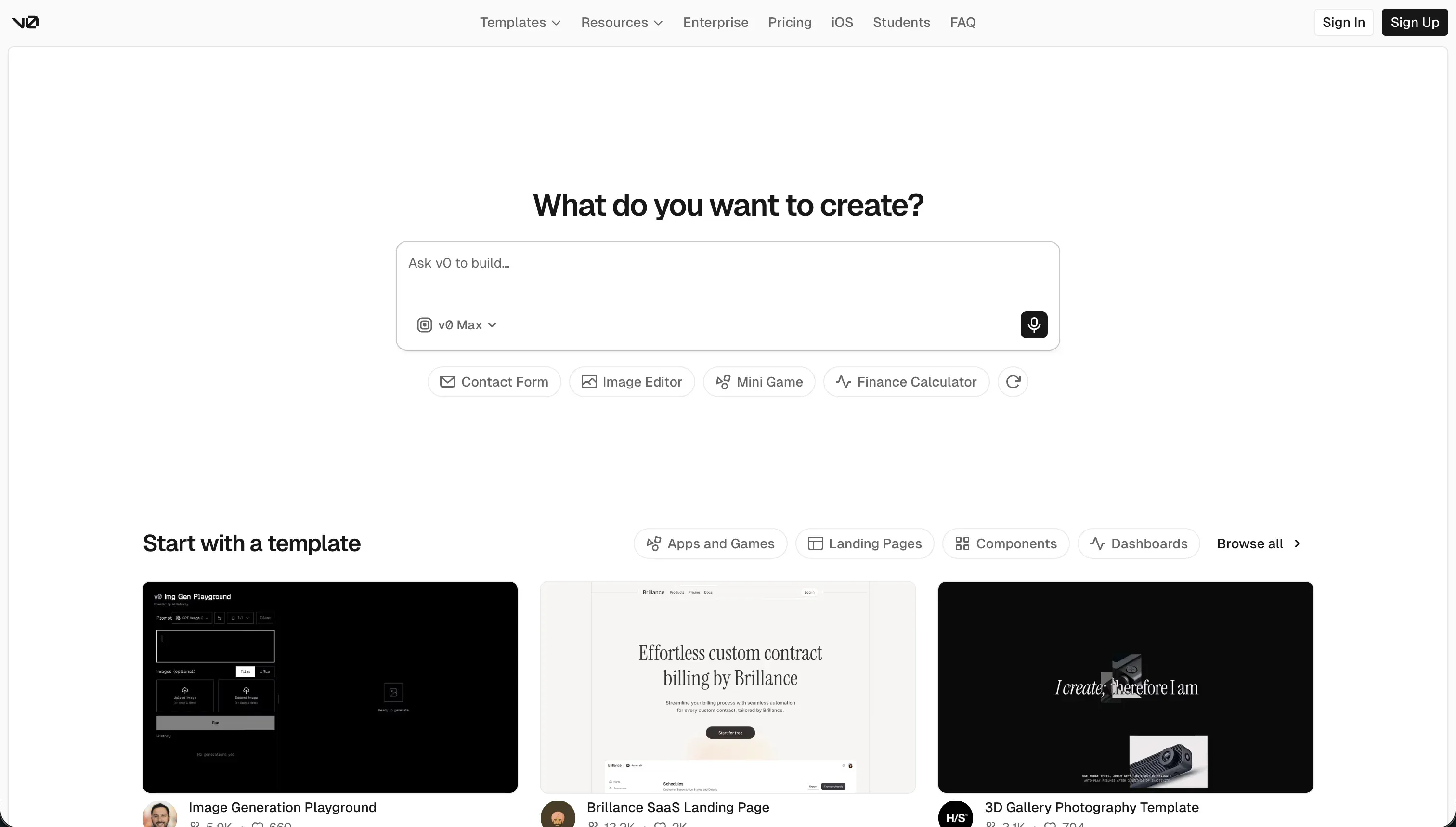 v0 homepage snapshot
In practice, builders interact with v0 by describing the UI or uploading design assets, sketches, and screenshots. The tool parses these inputs and generates inspectable code, allowing users to make ongoing conversational tweaks to layout scaling, spacing, and styling in its interactive preview panel. It features a Git integration and GitHub sync that lets developers pull generated components directly into their local directories, alongside a one-click deployment pathway directly to Vercel’s global CDN infrastructure.
The core design philosophy of v0 is separating visual interface design from backend state management. By focusing tightly on scaffolding highly polished layouts mapping to popular libraries, it avoids the messy, bloated code loops that occur when AI models are forced to guess relational structures and server logic simultaneously.
v0 is built for frontend developers and founders who need to jumpstart visual layouts, design mockups, and client-facing interfaces without manually writing thousands of lines of boilerplate React or Tailwind CSS. Conversely, it deeply frustrates non-technical builders looking for an all-in-one app creator, as it leaves backend infrastructure, authentication, database routing, and deployment debugging entirely in the user’s hands.

What can you build with v0?
The absolute sweet spot for v0 is rapid visual prototyping and modular user interface scaffolding. It gives developers high-fidelity components that slip directly into modern React Web frameworks.
- Interactive dashboard mockups complete with navigation bars, sidebar controls, and data table layouts
- E-commerce product grids styled with filter menus, modern shopping cart drawers, and responsive cards
- SaaS landing pages featuring animated hero containers, pricing grids, and multi-step marketing funnels
- Custom UI components including complex form elements, toggle tabs, calendar widgets, and navigation modals
However, where v0 stops is at the database boundary. Because it is strictly a frontend utility, it has no built-in database models, user authentication flows, or backend logic workflows. You can easily scaffold a beautiful sign-up form, but writing the secure backend API calls, setting up Google OAuth, and establishing user access permissions remains a manual coding chore for developers.
What users are saying
Feedback from developer communities across r/nextjs, r/vercel, and general developer forums reveals a sharp divide between those celebrating its rapid UI scaffolding and those frustrated by pricing changes and code debugging loops.
- Praise for high design polish and the speed of moving from visual screenshots to fully inspectable code
- Complaints that chat sessions transcending five messages frequently drift, hallucinating obsolete lucide-react imports or buggy Tailwind styling conflicts
- Frustration over local migration hurdles, with users encountering dependency errors when trying to run v0 projects locally on standard IDEs
The initial UI skeleton looks incredible, but once you start customizing beyond basic styling, you end up spending more time refactoring the bloated React output than it would have taken to write from scratch.
Our read: v0 is an exceptional, low-friction draft generator for frontend developers who already maintain their own local development sandboxes. If you treat it as a visual scratchpad to capture layout code, it is incredibly efficient, but trying to use it as a complete application ecosystem will only run you straight into the Day Two debugging trap.
What it costs in practice
v0 operates on a credit-based consumption model tied to different LLM tiers, offering a basic free access tier alongside paid billing options for teams and enterprises.
| Plan | Price | What you get | Best for |
|---|---|---|---|
| Free | $0/mo | $5 of monthly credits, Vercel deployment access, visual visual edits, 7 messages/day limit | Hobbyists testing basic mockups |
| Team | $30/user/mo | $30 of monthly credits per user, $2 of free daily login credits, shared chats, centralized billing | Collaborative design teams |
| Business | $100/user/mo | All Team features, training opt-out by default, dedicated credit pools | Commercial agencies |
In practice, costs can feel punitive and unpredictable during deep revision sessions. Because credit consumption is tied directly to the token usage of selected models, running complex debugging tasks or styling fixes can drain an entire $20 monthly allowance in a single day, heavily penalizing users for the AI’s generation errors.
What are v0’s common alternatives?
Selecting an alternative to v0 depends on whether you have a developer stack ready to receive raw React components or require an operational business platform.
| If you want… | Look at | Why |
|---|---|---|
| A production-ready business application | Softr | It secures user auth, databases, and permissions visually with no fix loop or code maintenance. |
| An autonomous developer environment | Bolt | It provisions real Node servers and handles backend execution directly in the browser sandbox. |
| A complete desktop-first coding workspace | Cursor | It wraps editing, predictive completions, and terminal agents inside a local IDE. |
| Fast conversational web app drafts | Lovable | It excels at converting highly detailed text instructions into responsive mockups. |
For teams aiming to build client portals, internal tracking dashboards, or operational CRMs, deploying code-scaffolding tools introduces immense technical debt. Instead of prompting AI to constantly rebuild insecure client queries, Softr enables you to assemble fully hosted, responsive layouts connected securely to databases out of the box with zero code maintenance.
Contrarily, if your goal is custom web applications, Bolt is far better suited for full-stack engineering. While v0 strictly outputs visual React structures, Bolt actively provisions cloud hosting, executes server-side scripts, and manages live environment variables, making it a much more comprehensive sandbox for technical developers.
Who v0 is for (and who it isn’t)
v0 is the ultimate visual styling scratchpad for developers already working onNext.js layouts who need to quickly export CSS-styled React elements. It delivers rapid, beautifully themed visual structures, provided the builder accepts the responsibility of wiring those static screens into a functional backend.
Skip v0 entirely if you are trying to deploy working, operational software like a custom CRM, team database, or external partner portal. Instead of drowning in local environment migration bugs, build securely on Softr to launch clean, robust business integrations immediately, or look to Bolt if you genuinely need custom backend node execution.
