Compare Tools

v0 vs Anything: which one survives a real small business app with logins?

June 16, 2026

Verdict

v0 wins if you only need high-polish frontend React components to wire up yourself; Anything wins only if you need a quick, fragile prototype with a database. If this is a real business app, look past both.

v0 logo

v0

Vercel's AI frontend generator: prompts to shadcn/ui React components.

Anything logo

Anything

A sharp prompt-to-app canvas for quick prototypes, if you can live with platform trust questions

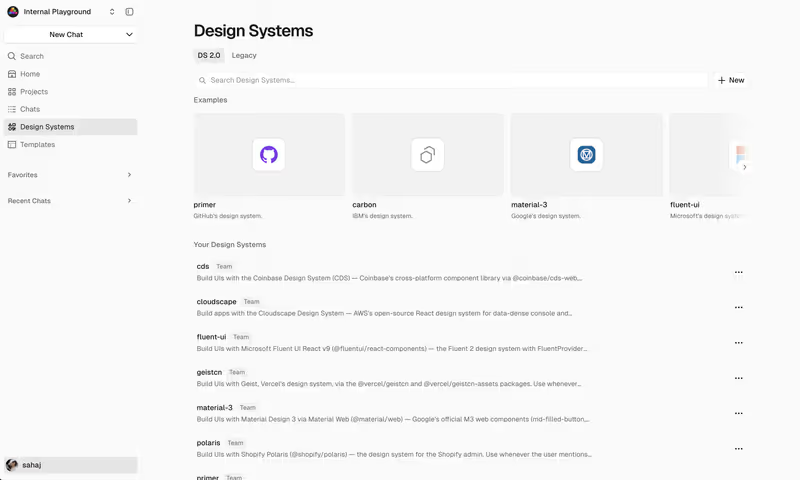
v0 vs Anything, on screen

v0.dev
v0 homepage
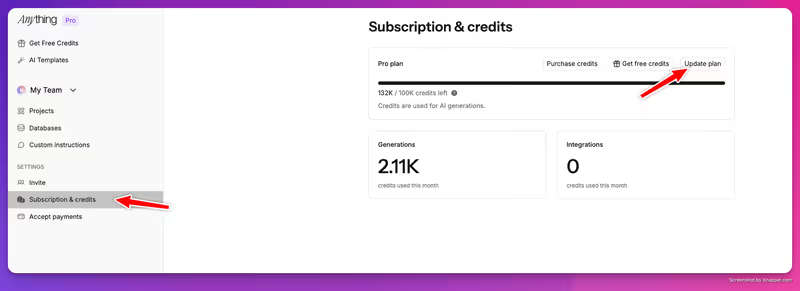
www.create.xyz
Anything homepage

The fairest way to evaluate v0 by Vercel and Anything (formerly Create.xyz) is to judge them on a classic business-shaped job: a secure small business web app where users log in and see only their own assigned records. To deliver this, an app needs three things: a responsive interface, a relational database, and strict user authentication. This is not about a visual mock-up - it is about making sure user data does not leak.

This exact use case highlights where these two platforms pivot in completely separate directions. v0 is an incredibly sharp React/Tailwind frontend generator that does not have a native backend, leaving the plumbing entirely to you. Anything provides an all-in-one visual canvas with its own relational database and pre-built login screens, yet its recent rebranding and stability issues present real questions of platform trust. Judging this matchup reveals the heavy tax of taking a prototype into dynamic, real-world production.


The audience

Who each one is for

v0

  • Frontend developers who want to generate beautiful layouts in React and Tailwind without writing boilerplate styles.
  • React-focused software engineers using AI drafts as a design starting point to export directly into an IDE.
  • Product managers who need to scaffold individual UI elements or mock-up user interfaces for design handoff.
  • Teams with existing engineering resources capable of wiring static visual components to a custom backend infrastructure.

Anything

  • Non-technical builders who want to describe an interactive application and have a database run on it quickly.
  • Founders seeking to build rapid, clickable prototypes or landing pages to validate user interest in a night.
  • SME operators who are comfortable describing database layouts in natural language within a single design canvas.
  • Makers who want a low-barrier playground and do not mind if underlying code architectures remain black-box.

v0 expects you to be a developer who can handle backend imports and APIs locally, while Anything aims to swallow the entire stack on its visual canvas for non-technical creators.

The scope

What you'd build with it

v0

  • Modern, accessible dashboard panels, tables, navigation elements, high-fidelity signup components, and static visual blocks.
  • Highly polished landing pages and layout grids matching precise shadcn/ui structures.
  • Isolated UI components that can be immediately exported and integrated into a Next.js or React codebase.
  • Avoid for: complete multi-tenant internal tools with working backend databases or secure user access roles.

Anything

  • Quick SaaS prototypes featuring basic text inputs, forms, and Stripe payment steps on a shared layout canvas.
  • Simple directories, spreadsheets, and task managers driven by basic conversational data models.
  • Internal team tools where basic login and basic read-write relational tables are sufficient.
  • Avoid for: secure, production-grade enterprise software where data compliance is heavily audited.

The plumbing question

v0 works entirely at the browser and interface layer. When you prompt v0 for a modern user profile interface with an assigned tasks grid, it outputs clean, modular React code styled with Tailwind CSS. It scaffolds the happy path beautifully, but there are no environment variables securely storing database keys, no active API calls communicating with a database, and no server-side checks restricting data access. To make this component a functional application, a developer must sync the file locally, set up Next.js router files, configure secure database connections on Vercel or Supabase, and handle OAuth states in raw code.

Anything takes the opposite path by integrating a visual canvas with native, prompt-configured relational tables. When you describe your login and data needs, Anything orchestrates a background relational layer and provisions simple local tables directly in its environment. However, this ease-of-use presents serious security and architectural debt. The underlying databases are shaped by conversational prompts, making them difficult to verify and prune of duplicate objects. While Anything's visual editor lets you click components to prompt localized styling changes, the user roles, row-level restrictions, and API access logic are entirely generated as AI code blocks. This is highly fragile and leaves builders vulnerable to silent data leaks where a client-side auth bypass could expose neighboring records.

Strengths

Where each one is strong

Edge: v0

v0 takes the edge because its code is highly structured, predictable, and runs seamlessly in any standard local development workspace.

v0

  • Industry-defining design polish that scaffolds clean React and TypeScript styled beautifully with shadcn/ui and Tailwind.
  • Robust design mode allowing you to upload screenshots or hand-drawn sketches to generate polished layout mock-ups.
  • Clean, inspectable, and exportable frontend code that can be imported directly into Github repositories with zero proprietary locks.
  • One-click deployment pathways to Vercel's global CDN infrastructure for fast, public previewing.

Anything

  • An interactive visual canvas that lets you click on specific blocks and direct the AI to modify just that container.
  • Relational database storage out of the box that can be configured and updated with simple, conversational text prompts.
  • Pre-configured login blocks and integrated Stripe components to test basic payment and signup pipelines.
  • Generous project builder allowance, permitting up to 20 separate active projects on the free tier.

Failure modes

Where each one breaks

Edge: v0

v0 is predictable in its limitations - it claims only to build UI. Anything struggles with platform stability and rebrand migrations that have left active projects broken.

v0

  • Strictly frontend only, meaning it requires third-party API wiring to support simple persistent items like form submissions and logins.
  • Severe context loss on chat sessions exceeding 5 to 10 prompt replies, creating bloated and duplicate components.
  • Local dependency conflicts when importing newly generated v0 files due to framework versions and library drift.
  • No built-in authentication or hosting configuration wrappers, leaving junior developers to write security logic from scratch.

Anything

  • Critical rebrand and migration issues, with users reporting their projects became uneditable or broke during the transition from Create.xyz.
  • Iterative prompt adjustments quickly deplete monthly credit packages simply to fix minor, layout positioning failures.
  • Friction with assets and complex form details can fail repeatedly, forcing builders into repetitive prompting loops.
  • No enterprise-level compliance or structured controls to visually inspect raw database schema rules for silent security openings.

Iteration cost

The fix loop, priced

Even

Both tools consume credits heavily when resolving iterative bug fixes, although v0 offers a more structured billing model.

v0

  • Free tier features $5 in monthly credits, but limits standard conversational prompts to only 7 messages per day.
  • Pro plans charge $30 per user monthly for an included credit pool and separate $2 daily login credits.
  • Token burn scales dramatically depending on model selection, causing codebases to deplete allowances rapidly during debugging.
  • Community feedback highlighted deep user frustration following Vercel's pivot from unlimited prompts to restrictive usage-based pricing.

Anything

  • Basic projects can start for free, but production integrations and AI credit expansion require paid tiers.
  • Pro subscriptions start at $19 per month for advanced AI modeling access and API connection tools.
  • Minor page bugs and layout conflicts quickly eat through credit quotas during the iterative prompt cycles.
  • Re-generating visual containers costs user credits even when the AI fails to deliver the requested styling change.

Both platforms require you to spend credits when fixing their own AI code failures. If you enter a bug loop, you will watch your allowance evaporate to resolve simple UI issues, which is why the fix loop tax matters.

Exit paths

The code you end up with

Edge: v0

v0 exports standard, clean code, whereas Anything hosts your app inside its own managed code environment.

v0

  • Outputs standard Next.js, React, and TypeScript layout components that any modern IDE can naturally compile.
  • Complete code export via direct git integration, keeping you entirely in control of your project files.
  • No proprietary libraries or platform wrappers to load, keeping components fast and extremely lightweight.
  • The HTML and Tailwind layouts are clean to parse, though developers complain of dense inlined code styling.

Anything

  • Provides exportable source code files that can theoretically be run outside of Anything's cloud servers.
  • The underlying backend logic, API scripts, and relational database connections are tightly coupled to their hosting platform.
  • Database migrations are manually intensive as user data structures are shaped through conversational instructions.
  • Significant migration risks should you choose to sever ties with the platform, because the database engine is highly proprietary.

When neither wins

Here is the uncomfortable truth: a small business web app is primarily 80% auth plumbing and secure permissions database logic wrapped in a user interface. Both of these tools require you to generate and maintain that code, which means you inherit the job of protecting client datasets. If you are not an experienced developer, you are now the primary administrator of a security-critical codebase you cannot inspect or audit. If a single prompt goes wrong on client-side routing, you could expose personal business records of client A directly to client B.

For this job, the ideal build path is the no-code environment of Softr. Softr manages user authentication, user groups, and row-level database security entirely as secure platform infrastructure. You configure who can read or update data visually. There is no generated authentication code to test, deploy, or secure, eliminating the developer risk of custom codebases and prompt iterations. However, Softr is the wrong tool if you want a custom, code-owned mobile app or a consumer-facing UI built on custom React frameworks. If the goal is a secure, reliable business portal, choose the path that makes the authentication simple.

Verdict

v0 wins this comparison conditionally. If your goal is to generate exceptionally polished, beautiful React layouts to export directly into a local development setup where you will write your own APIs and databases, v0 is an incredibly efficient companion. It is a designer's block selector, and it produces some of the most aesthetic, standard-compliant components on the market. Just be prepared to handle all backend scaffolding yourself.

Anything is the right pick only if you want an instant, low-fidelity prototype or playground to validate early concepts with minimal setup. The promise of an integrated conversational database is highly convenient for a weekend MVP, provided your data has no strict compliance, privacy, or scalability demands and you can accept the risk of platform migration instabilities.

However, if you are a non-technical builder creating a client-facing web application with real data, logins, and sensitive business records, look past both options. The security-critical parts of a business platform are too risky to entrust to raw code generation. A dedicated, visual platform like Softr handles the back-end plumbing as stable, tested infrastructure, keeping you free of prompt regressions and security liabilities completely.

Q & A

Frequently Asked Questions

Is v0 better than Anything for small business portals?

Only if you are a developer. v0 creates gorgeous frontend React code but leaves auth and database wiring entirely to you. Anything has built-in logins and basic tables on its canvas, but its code-generated structure is fragile and poses real security and stability questions for business apps.

Can I export my code from v0 and Anything?

v0 allows clean code export directly into Git/GitHub for react-based repositories with no lock-in. Anything offers a code export package, but its relational database systems and API configurations are tightly coupled to its visual platform, making it highly complex to host independently.

Which tool costs more to build an app with?

Both use credit limits that burn quickly during debugging. v0 charges $30 per month for Team tiers, but its restrictive usage-based pricing can deplete credits quickly. Anything Pro starts at $19 per month, but simple visual adjustments to tables and layouts will consume credits rapidly.

What is the safest alternative for non-developers building business applications?

The safest alternative is Softr. Softr treats logins, relational data connections, and row-level permissions as native platform infrastructure instead of fragile, code-generated scripts. There is no code to break and no credit-depleting fix loops required.

