

















What is Cursor?
Cursor is an AI-first desktop code editor built for software developers who want language models inside their normal coding workflow. It is based on a fork of VS Code, but the core bet is that AI should be part of the editor itself, not a separate chatbot or bolt-on assistant. In practice, that means working on local code with IDE features, extensions, and shortcuts intact while the model sees and edits your project in context. It is not a no-code builder; it is a professional coding environment with AI at the center.
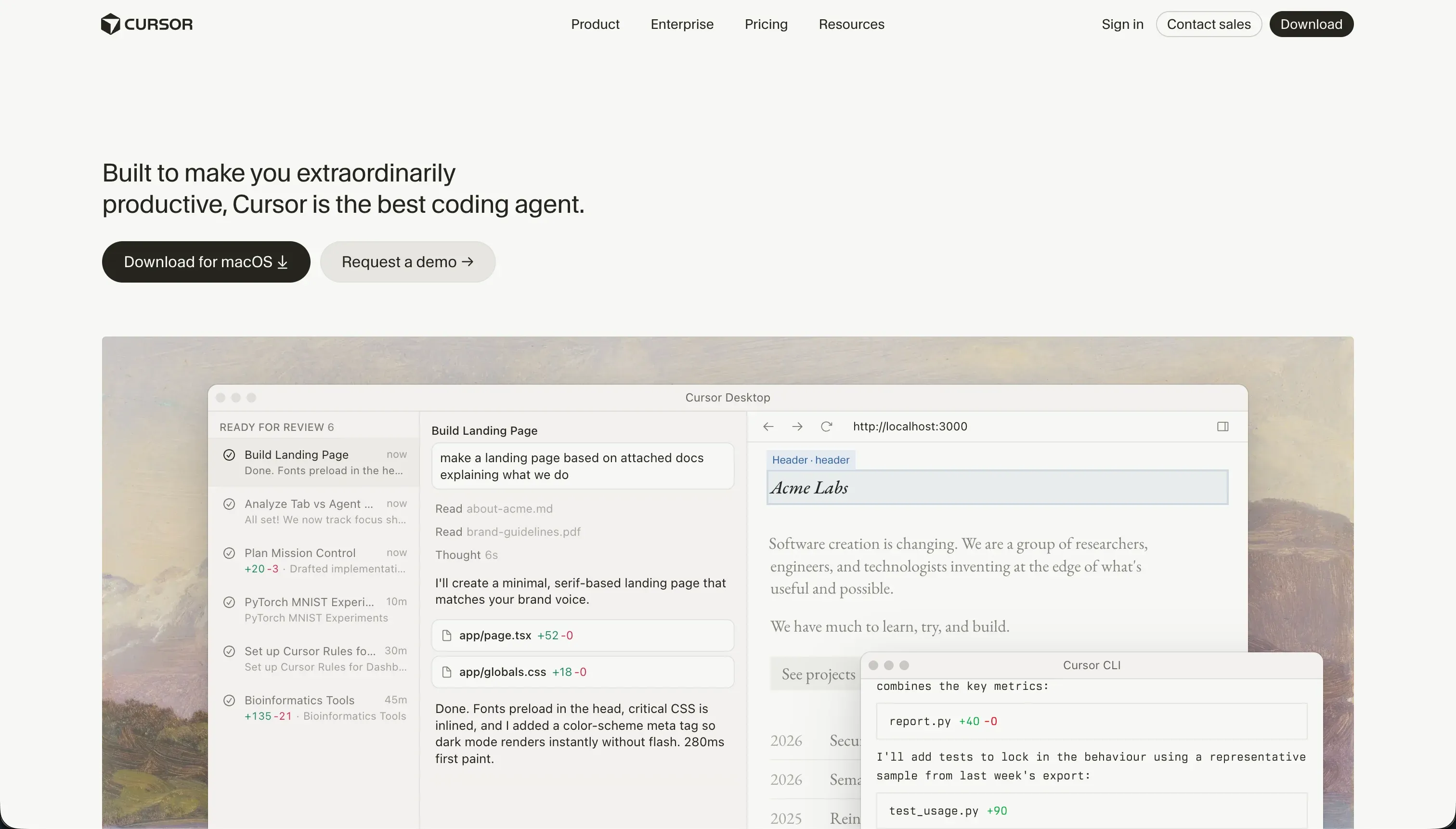 Cursor homepage snapshot
In practice, Cursor indexes your local codebase so it can understand files, symbols, and relationships across the project before answering questions or making changes. Two concrete capabilities define the experience: natural-language codebase search for finding implementations across a repo, and Composer, its multi-file editing mode that can refactor or generate changes across several files at once.
The product’s core philosophy is that developers should stay in one place and let AI operate on real project context instead of pasting code into a web chat. Its defining idea is AI-native coding inside a real IDE, with VS Code extension compatibility and inline editing meant to reduce repetitive coding, navigation, and refactoring work.
Cursor is built for engineers, technical founders, and working developers who already understand code, packages, debugging, and deployment. It is a strong fit for people who want to move faster inside existing repos without giving up control of the stack. It will frustrate people looking for a turnkey app builder, because it does not provide built-in hosting, visual database setup, or a point-and-click way to ship business apps.

What can you build with Cursor?
Cursor’s sweet spot is real software projects where speed matters but the output still needs to be custom code. It is especially useful for prototyping products, navigating large repositories, and making coordinated edits across multiple files without leaving your editor.
- Multi-file refactors update routes, utilities, components, and related files in one pass instead of editing each file manually.
- Codebase search and explanation lets you ask natural-language questions about how a large repo works and quickly find the relevant implementation.
- Test and boilerplate generation helps create unit tests, scaffolding, and repetitive code structures faster inside an existing project.
- Custom web app prototypes support building SaaS-style apps locally with your normal framework, Git workflow, and development tooling.
Cursor does not replace the rest of the software stack. It does not host your app, provision infrastructure, or give you a managed database, auth layer, or deployment pipeline out of the box. If the hard part of your project is operating the environment rather than writing code, Cursor still leaves that responsibility with the developer.

What users are saying
User sentiment is split in places like r/cursor and review sites such as G2. The upside people talk about most is faster coding from strong repo awareness and multi-file edits; the downside is that performance, usage caps, and agent behavior can become frustrating for heavy users.
- Users praise Cursor’s repo awareness and say it is especially strong at navigating and refactoring larger codebases.
- Many users like Composer for making coordinated edits across files instead of treating each prompt as a one-file code generation task.
- Some users report high CPU or RAM usage during indexing and heavier sessions.
- Power users complain that query limits, credit burn, or slowdowns can interrupt workflows when they lean heavily on agentic features.
Great when it understands the repo and makes the right multi-file changes, but painful when it gets stuck and burns through usage on a task I still have to fix myself.
Our read: Cursor is a strong buy for real developers who want an AI-powered IDE, not a magic app generator. The complaints are meaningful, but they mostly point to an important truth: this is best used by people who can judge and correct the output, not by buyers hoping the tool will remove the need for engineering skill.
What it costs in practice
Cursor uses a subscription model with a free tier and paid monthly plans. Based on the pricing figures in the research, the structure is straightforward: a free plan for trying it, then higher paid tiers tied to more intensive usage and team needs.
| Plan | Price | What you get | Best for |
|---|---|---|---|
| Hobby | $0 | Basic editor access and 50 fast queries. | Light evaluation and occasional use. |
| Pro | $20/mo | 500 fast queries per month, unlimited slow queries, and Composer access. | Individual developers using Cursor regularly. |
| Pro+ | $60/mo | 1500 fast queries per month and enhanced context windows. | Heavier individual users doing frequent AI-assisted coding. |
| Business | $40/mo per user | Team-oriented access with Pro-level capabilities plus admin and billing controls. | Engineering teams that need centralized management. |
In real use, the main cost issue is predictability rather than sticker price. Heavy reliance on agentic editing can consume fast-query allowances quickly, especially when the tool gets stuck on debugging or dependency problems, which means the practical experience can feel very different for a light user versus someone using Composer all day.
What are Cursor’s common alternatives?
The right alternative depends on what job you actually need done. If you want AI inside a serious coding environment, you should compare Cursor to other developer tools; if you want hosting, built-in infrastructure, or a visual app builder, a different category will beat it outright.
| If you want… | Look at | Why |
|---|---|---|
| A visual no-code business app or client portal | Softr | It is built for internal tools and portals with hosted infrastructure, permissions, and visual building instead of raw code editing. |
| An in-browser coding workspace with hosting | Replit | It combines coding, runtime, and deployment in a cloud environment so you manage less local setup. |
| A terminal-native AI coding workflow | Claude Code | It fits developers who prefer operating from the command line and want AI help directly in shell-based workflows. |
| A more autonomous engineering agent | Devin | It is aimed at longer-running, more hands-off software tasks rather than an AI-first IDE experience. |
If you still want to write code but want less environment overhead, Replit is the clearest alternative because it wraps coding, runtime, and deployment into one hosted workflow. If your ideal workflow is shell-first rather than editor-first, Claude Code beats Cursor when you want AI assistance to live directly in terminal-driven development.
For business apps, internal tools, and client portals, Softr is the more practical choice because it removes the need to wire up the whole stack yourself. And if your priority is handing off more of the work to an autonomous agent, Devin is the better comparison point than a traditional editor.
Who Cursor is for (and who it isn’t)
Cursor is for developers who want an AI-native IDE without giving up real code control. You should use it if you are comfortable owning the repo, debugging the output, and handling deployment yourself in exchange for much faster drafting, search, and refactoring.
Skip Cursor if your real goal is not coding faster but shipping business software with less engineering overhead. For internal tools, portals, and business apps, go with Softr; if you still want custom code but prefer the infrastructure managed for you, Replit is the more honest fit.
