













What is Bolt?
Bolt is an in-browser AI development environment built on StackBlitz’s WebContainers technology. Its core bet is that you should be able to generate, run, and edit a real full-stack web app entirely inside a browser tab, without setting up a local machine first. Instead of stopping at mockups or frontend snippets, it aims to give you a working coding workspace with live servers, package installs, and editable source files. In practice, that makes it a hybrid of AI app generation and a browser-native IDE.
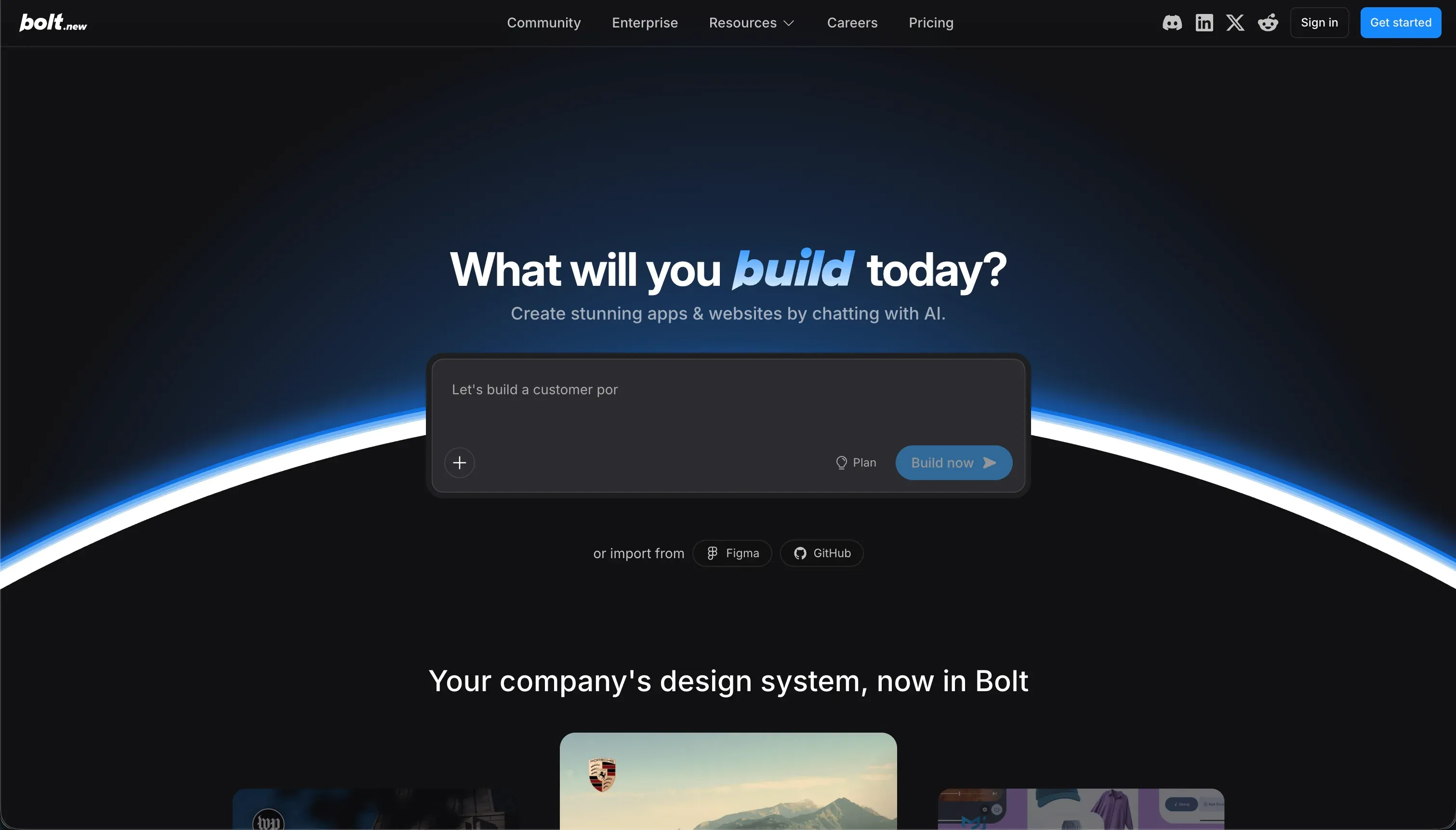 Bolt homepage snapshot
In practice, Bolt works like a conversational coding workspace: you describe what you want, and it scaffolds app code you can immediately inspect and modify. Research on the product highlights concrete capabilities like spinning up a real Node.js environment in-browser through WebContainers, installing npm packages, running terminal commands, and generating full-stack app structure including frontend code and backend logic. It also lets you keep working directly in the code rather than trapping you in a fixed visual builder.
The product’s design philosophy is that real software should stay real code, even when AI creates the first draft. Bolt is trying to collapse idea, generation, execution, and editing into one browser session so technical users can move from prompt to working prototype fast without giving up developer control.
Bolt is genuinely built for developers, technical founders, and ambitious indie hackers who want to prototype custom web software quickly while still owning the code. It is much less suited to operations teams or non-technical business users who want a stable visual builder for internal tools, because the workflow eventually depends on reading, editing, and debugging generated code.

What can you build with Bolt?
Bolt’s sweet spot is fast custom web apps: the kind of MVP, prototype, or internal product where speed matters, but you still want exportable code and room to keep developing beyond the first prompt.
- Full-stack SaaS prototypes with a generated frontend, backend logic, and package-based tooling you can run immediately in the browser.
- Custom React web apps where you need flexible UI code rather than a locked template or no-code component system.
- Database-backed dashboards that need application logic, routes, and code-level customization around how data is displayed or processed.
- Design-to-app experiments where generated UI can be iterated quickly and then refined directly in source files.
Bolt does not excel at polished no-code operations software or heavy production-scale environments. A concrete limitation from the research is that larger projects can run into browser-side performance problems through WebContainers, including memory pressure and crashes, and it also lacks the kind of native visual database management that business users expect from internal-tool platforms.
What users are saying
User sentiment appears split across places like Product Hunt, Reddit, and professional reviews: people are impressed by how quickly Bolt gets a real app running in the browser, but frustrated when larger projects trigger regressions, token burn, or browser performance issues.
- Many users praise the speed of going from prompt to a working prototype, especially for early MVP exploration.
- A recurring complaint is that bug-fixing can turn into expensive rewrite loops, with the AI changing more code than requested.
- Users like that the generated code is visible and editable, which makes the tool feel more legitimate than closed demo generators.
- Reviewers also report scalability and stability issues on bigger apps, including browser memory strain and crashes.
Amazing for getting a prototype live absurdly fast, but once the project gets messy, small fixes can spiral into huge rewrites and wasted tokens.
Our read: Bolt is best understood as a high-upside prototyping engine, not a dependable end-to-end software process for every buyer. If you can supervise the code, it can save serious time; if you need predictability more than speed, the same AI-driven freedom becomes the risk.
What it costs in practice
Bolt uses a subscription model tied to token usage, with a free tier and paid plans for heavier development. The research only surfaced explicit figures for Free, Pro, and Teams pricing, so those are the only plans included here. In practice, that means your spend is shaped not just by plan level but by how efficiently the model handles edits and debugging.
| Plan | Price | What you get | Best for |
|---|---|---|---|
| Free | $0 | 1 million monthly tokens, a 150K daily cap, public-only projects, and basic web hosting. | Trying the product and testing simple app prompts. |
| Pro | $25/mo | 10 million monthly tokens, private projects, custom domains, and 2-month token rollover. | Solo builders creating serious prototypes or MVPs. |
| Teams | $30/member/mo | 10 million tokens per member, centralized billing, and a shared admin dashboard. | Small teams collaborating on rapid app generation. |
The big practical issue is predictability. Research points to debugging loops and broad file rewrites that can consume tokens much faster than buyers expect, so the headline monthly allowance does not always translate into steady output if your project becomes complex or unstable.
What are Bolt’s common alternatives?
The right alternative depends on whether you mainly want AI-assisted coding, a stronger cloud dev environment, sharper frontend generation, or a no-code business app platform that avoids code management entirely.
| If you want… | Look at | Why |
|---|---|---|
| A visual business app or internal tool platform | Softr | It is a better fit for portals, internal tools, and business apps where you want built-in auth, data handling, and visual management instead of generated code. |
| A collaborative cloud coding workspace | Replit | It offers a broader online development environment with stronger collaboration and hosted development workflows. |
| High-quality frontend and UI generation | v0 | It is especially strong at producing polished React and Tailwind interface output. |
| An AI-powered local coding workflow | Cursor | It pairs AI assistance with your local filesystem, which avoids some browser-environment limits. |
If your goal is better frontend generation, v0 can beat Bolt by staying more focused on polished UI output instead of trying to be the whole development environment. If your priority is a fuller coding setup with collaboration and hosted workflows, Replit is the stronger pick.
For business apps, internal tools, and client portals, Softr beats Bolt more decisively because it removes the need to manage generated code in the first place. Bolt is stronger when you need custom software flexibility; Softr is stronger when you need operational software that non-developers can launch and maintain reliably.
Who Bolt is for (and who it isn’t)
Bolt is for technical builders who want the fastest path from prompt to real web app code. The tradeoff is that you get speed and flexibility only if you are willing to accept AI mistakes, supervise the output, and debug when the generated project starts to wobble.
Skip Bolt if your real need is a dependable business app, portal, or internal operations system rather than a coded software prototype. In that case, go to Softr for business apps and portals, or choose a peer like Replit if you still want a more traditional developer-oriented environment with stronger cloud coding workflows.
