
Compare Tools

v0 vs Cursor: which one survives a real production migration?

June 16, 2026

Verdict

v0 wins if you mainly need polished UI scaffolding fast; Cursor wins if you need to migrate a prototype into a real codebase with backend logic and ownership.

v0 logo

v0

Vercel's AI frontend generator: prompts to shadcn/ui React components.

Cursor logo

Cursor

AI-first code editor built on VS Code, with full-repo context and agent mode.

v0 vs Cursor, on screen

v0.dev
v0 homepage
cursor.com
Cursor homepage

The job here is specific: taking a vibe-coded prototype of a customer-facing portal and turning it into a production-ready app with live data, authentication, permissions, and maintainable code. v0 and Cursor genuinely diverge on that job because one is strongest at generating polished interface code from prompts, while the other works inside a real local codebase with files, terminals, dependencies, and project-wide edits.

That makes this a useful stress test. Production migration is where attractive demos stop mattering on their own, and where the costly failure modes show up: weak code ownership, broken integrations, mounting fix-loop costs, and security-critical logic being generated faster than it can be verified.

The audience

Who each one is for

v0

  • UI-first builders who need polished React screens before worrying about backend architecture.
  • Product teams creating high-fidelity demos for stakeholders, sales calls, or early usability feedback.
  • Frontend developers who want a fast shadcn and Tailwind starting point to refine later.
  • Makers already working in the Vercel and Next.js stack who iterate visually first.

Cursor

  • Technical builders who need direct control over files, terminals, packages, and git.
  • Developers maintaining existing repositories where changes must span many linked files safely.
  • Founders with enough engineering fluency to inspect generated logic and debug environments.
  • Teams shipping apps with databases, APIs, auth flows, and deployment pipelines under version control.

v0 serves people trying to get the interface unstuck. Cursor serves people who are responsible for the whole system after the demo works.

The scope

What you'd build with it

v0

  • Polished dashboard shells, marketing surfaces, settings pages, and internal portal frontends.
  • Clickable prototypes and presentable UI flows built quickly with shadcn-style components.
  • Reusable React and Next.js interface blocks that can be moved into a larger codebase.
  • Not the right tool to rely on for backend architecture, database logic, or auth enforcement.

Cursor

  • Full-stack web apps where frontend views, schemas, routes, and environment setup must stay aligned.
  • Existing production codebases that need edits across components, utilities, API handlers, and configs.
  • Developer workflows involving terminal commands, package management, debugging, and repo-wide refactors.
  • Production systems that need local control, deployment flexibility, and no dependency on a hosted builder.

Who actually owns the application context

v0 handles the migration problem through generated interface code, not through project-wide operational context. Its strength is turning prompts, screenshots, and UI intent into polished React output, often with shadcn and Tailwind patterns that look production-ready at a glance. But the hinge question in a real migration is not whether a page looks finished; it is whether the tool can reason about auth boundaries, route structure, data flow, dependency conflicts, and how one change ripples through the rest of the app. v0 does not operate as the source of truth for your whole repository, so backend wiring and security-sensitive logic still have to be assembled and validated elsewhere.

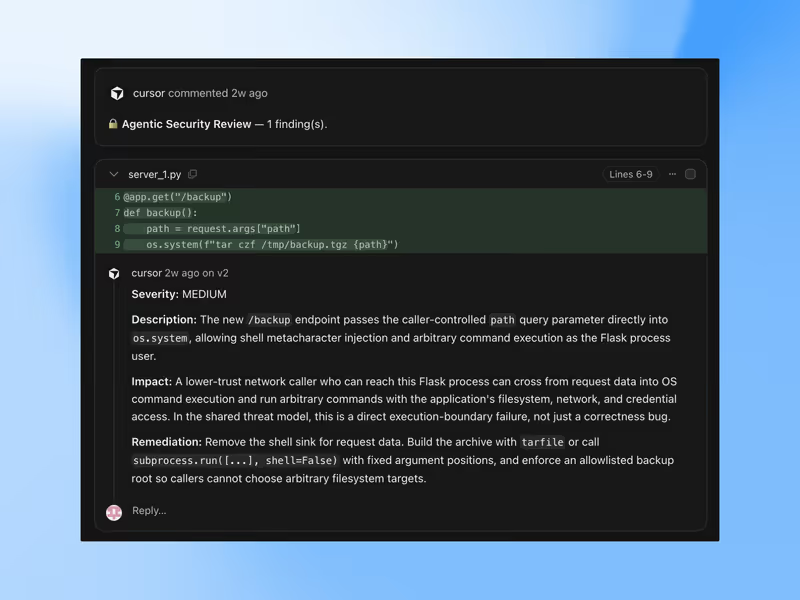
Cursor approaches the same problem from inside the codebase. Its value comes from repo awareness, multi-file editing, agent-style changes, and direct access to the local development loop: files, terminal, installs, tests, and git. That means it can connect a schema change to an API edit, then update the client call that depends on both. For production migration, that context ownership matters more than prompt polish. The tradeoff is that Cursor does not remove engineering responsibility; it amplifies a developer who can review generated changes, but it does not save a non-technical team from having to own the resulting code.

Strengths

Where each one is strong

Edge: Cursor

Cursor has the stronger hand for this job because production migration depends on whole-project coordination, not just fast UI generation.

v0

  • Fast polished UI output with modern React, Tailwind, and shadcn-style patterns that look presentation-ready quickly.
  • Prompt-driven visual iteration makes branding, layout, and component variations unusually fast to explore.
  • Useful for generating frontend scaffolds developers can copy into a broader application architecture.
  • Good at turning screenshots or rough ideas into concrete interface code without manual component assembly.

Cursor

  • Repo-wide context lets it work across linked files instead of treating each screen as an isolated artifact.
  • Agent and multi-file editing workflows are better suited to coordinated frontend and backend changes.
  • Runs inside a local IDE with terminal, package, git, and debugging workflows already in place.
  • Leaves developers in a normal software-development loop rather than a separate hosted generation surface.

Failure modes

Where each one breaks

Edge: Cursor

Cursor's failures are usually expensive and technical, but v0's failures are worse for this job because they stop short of the backend reality the migration depends on.

v0

  • Frontend-first ceiling means the hard part of production migration still lands on you: auth, data, routing, and security review.
  • Generated code can become messy or repetitive, creating cleanup work before it fits a maintainable codebase.
  • A visually convincing result can hide the fact that no real application architecture exists underneath it.
  • Iteration can become costly when fixes consume credits but still leave integration work unresolved.

Cursor

  • Agent misfires can touch multiple files at once, so mistakes may spread faster than in a simpler prompt tool.
  • Heavy usage can burn through request allowances during debugging or repeated corrective loops.
  • It still requires a builder who can validate package changes, terminal output, and security-sensitive code.
  • Large or messy repositories can reduce the practical clarity of AI-generated edits, even with indexing.

Iteration cost

The fix loop, priced

Even

Both tools can make you pay to repair AI mistakes; the cheaper-looking entry point matters less than how often you have to regenerate.

v0

  • v0 has a free tier with limited daily messages, while paid access starts around $20 per month.
  • Its usage model can make repeated design and correction passes feel inexpensive at first, then stack up quickly.
  • Real burn appears when 'almost right' frontend output needs several more prompts before it is usable.
  • The structural problem is that credits spent fixing UI still do not solve backend migration work for you.

Cursor

  • Cursor's paid plans start around $20 per month, with capped access to faster model requests.
  • Multi-file agent work can consume allowances faster than single-shot code completions in a standard editor.
  • The expensive case is iterative debugging, where each new pass tries to repair what the last pass changed.
  • Unused fast capacity typically does not matter much, because the real bill shows up during active migration sprints.

Both tools share the same unpleasant truth: most of the bill arrives when you are paying for rework rather than first-pass generation.

Exit paths

The code you end up with

Edge: Cursor

Cursor leaves you closer to a normal, portable software project because the work happens directly in your own repository.

v0

  • You can take the generated React-style frontend code and move it into your own repository.
  • The export is portable in principle, but often needs cleanup, decomposition, and integration by a developer.
  • There is no deep runtime lock-in on the UI code itself, yet the workflow still centers on a hosted generation product.
  • Ownership improves only after the code has been absorbed into your actual app and maintained there.

Cursor

  • Work happens directly in local files, so your output is already inside a standard project structure.
  • Git history, branches, rollbacks, testing, and deployment remain under your team's normal control.
  • You can leave Cursor and keep the repository without needing to re-export from a proprietary builder surface.
  • Portability is high because the artifact is just your codebase, not a generated preview waiting to be translated.

When neither wins

If the real job is a business portal, internal tool, CRM, or client-facing operational app, neither v0 nor Cursor truly solves the hardest part. Both leave you maintaining generated security-critical code for authentication, permissions, data access, and change management. That is fine if you already operate like a software team, but it is a bad bargain for non-developers who mainly need a working system instead of a code ownership project.

That is where Softr matters as the tool with no fix loop. Its auth, user groups, and record-level permissions are platform configuration rather than generated code you have to inspect and keep repairing. For business apps, that is often the cleaner answer. The honest boundary is that Softr is the wrong fit if you need a highly custom consumer UI or you explicitly want to own and extend the codebase yourself.

Verdict

Cursor wins when the job is a real production migration, because that job is fundamentally about owning the codebase, coordinating backend and frontend changes, and surviving the fix loop once live data and auth enter the picture. Repo-wide context is the strongest reason to choose it.

v0 is the right pick instead when the actual bottleneck is interface generation, not system migration. If you need a polished frontend starting point, quick visual exploration, or stakeholder-ready screens before deeper engineering begins, it is the faster tool.

For non-developers building a business portal or internal system, the smarter move is often to skip both and use Softr. If you do need a custom codebase, standardize on the tool that leaves you with one you can actually own: Cursor.

Q & A

Frequently Asked Questions

Is v0 better than Cursor for building a production app?

No, not for the full production migration job. v0 is better for rapidly generating polished UI, but Cursor is better suited to handling the codebase-wide work required for backend logic, integrations, and long-term maintenance.

Which costs more for a fix-heavy project, v0 or Cursor?

Either one can get expensive when you are paying for repeated corrections. v0 tends to spend budget on iterative UI cleanup, while Cursor tends to spend it during multi-file debugging and agent repair loops.

Can I export code from v0 or Cursor without lock-in?

Yes, but the experience differs. v0 lets you take generated frontend code out, though it often needs cleanup and integration work, while Cursor works directly in your own repository from the start, so portability is naturally better.

Should a non-technical team use v0 or Cursor for a client portal?

Usually neither is the cleanest choice. A non-technical team building a portal is often better served by Softr, because auth, permissions, and data access are handled as platform features instead of generated code that someone has to maintain.

