Compare Tools

Bolt vs Devin: which one handles a prototype-to-production codebase handoff?

June 16, 2026

Verdict

Devin wins if you already own a codebase and need controlled, local iteration; Bolt wins if speed to first full-stack prototype matters more than what happens after handoff.

Bolt logo

Bolt

In-browser AI dev environment that scaffolds and runs full-stack apps.

Devin logo

Devin

A capable local coding agent with fast autocomplete, but it struggles to match Cursor's overall pace

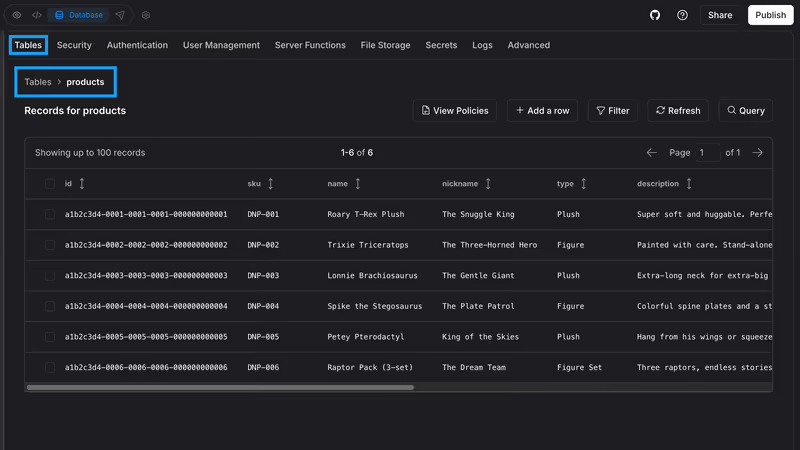
Bolt vs Devin, on screen

bolt.new
Bolt homepage
devin.ai
Devin homepage

This comparison judges Bolt and Devin on one specific job: taking an impressive early prototype and turning it into a production codebase someone can maintain. They diverge sharply here because Bolt is optimized around browser-based generation and instant scaffolding, while Devin is built to operate inside a real repository with local tools, files, and command-line workflows.

That job exposes the failure modes that actually matter. Prototype polish hides a lot; production handoff does not. The moment a project needs repeatable fixes, dependency control, selective edits, and code you can safely own outside the original tool, the difference between fast generation and durable iteration becomes obvious.

The audience

Who each one is for

Bolt

  • Prototype-first builders who want a browser tool to generate full-stack apps quickly
  • Founders validating new SaaS ideas before setting up local development workflows
  • Design-minded teams that prefer prompting, previewing, and deploying without IDE setup
  • Developers needing a fast throwaway scaffold for a greenfield web application

Devin

  • Repository-owning developers who want an agent to work inside existing project structure
  • Engineering teams delegating refactors, fixes, and terminal-driven chores to an assistant
  • VS Code users who need local context, package access, and command execution
  • Builders comfortable reviewing diffs, test output, and dependency changes manually

Bolt attracts people trying to skip setup. Devin attracts people who already accept that setup, tooling, and code ownership are the real job.

The scope

What you'd build with it

Bolt

  • New full-stack web app prototypes with frontend, backend, and database scaffolding in one pass
  • Internal MVPs or demo SaaS products that need rapid visible progress
  • Marketing-adjacent product shells where speed matters more than long-term code hygiene
  • Not the best choice for large, steadily evolving production codebases with heavy revision pressure

Devin

  • Existing application codebases that need iterative fixes across many files
  • Feature work requiring tests, terminal commands, package installs, and targeted refactors
  • Production repositories where you need the agent to follow local project conventions
  • Not a no-setup app generator for non-technical users starting from a blank page

The context-control question

Bolt handles the job through browser-native generation in WebContainers, where the app, runtime, and edits live inside a contained web environment. That is powerful for greenfield speed, but the hinge problem is context control: as the project expands, the model has to keep more files, dependencies, and prior edits straight while still making broad changes from prompts. In practice, that is where regression loops, overwritten working sections, and project-size friction start to matter more than the initial scaffold quality.

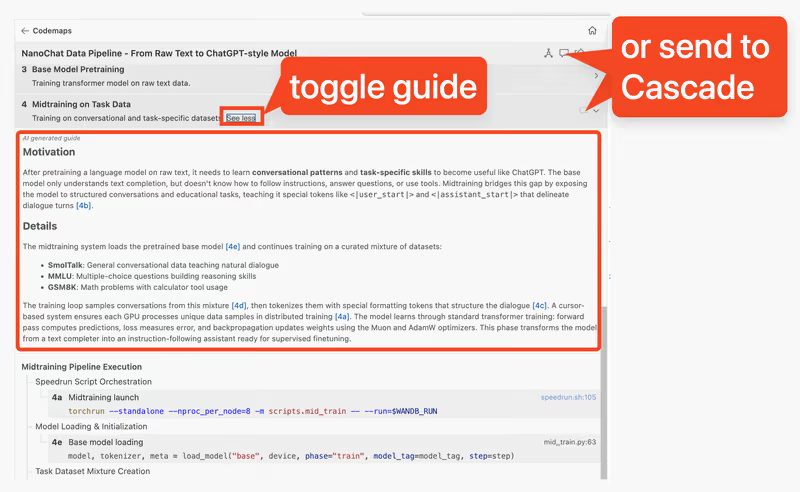
Devin approaches the same problem from the repository side. Through Codeium's Cascade workflow, it can inspect local files, follow imports, read terminal output, and apply narrower diffs against an existing codebase instead of constantly re-spinning the whole app. That usually makes the handoff cleaner because the surrounding development machinery stays yours, but it does not remove agent failure; it just moves it into a place where tests, git history, and direct file ownership can contain the damage.

Strengths

Where each one is strong

Even

The tools are strong at different phases: Bolt at instant full-stack creation, Devin at controlled work inside a real repository.

Bolt

  • WebContainers setup gives you an immediate runnable environment in the browser
  • Can scaffold frontend, backend, and database-shaped app structure from a single prompt
  • Fast path from idea to clickable product demo without local installs
  • Useful hosted workflow for greenfield apps that need visible momentum quickly

Devin

  • Local repo access lets it work with your actual files, tooling, and package graph
  • Cascade can read terminal output and act on test or build failures directly
  • Fits established VS Code habits instead of replacing them with a proprietary editor
  • Better suited to targeted multi-file edits than broad prompt-led regeneration

Failure modes

Where each one breaks

Edge: Devin

Devin's failures are usually easier to inspect and reverse because they happen in your normal development workflow.

Bolt

  • Regression-heavy edits can rewrite working sections while fixing something unrelated
  • Browser container limits become more noticeable as files and dependencies accumulate
  • Large projects can hit vague size or memory ceilings during iterative prompting
  • Fix loops can spend tokens repeatedly without producing a stable final state

Devin

  • Agent stalls can leave tasks half-finished and require manual re-steering
  • It can still hallucinate imports, commands, or implementation details under pressure
  • Long reasoning passes may feel slow compared with lighter autocomplete tools
  • Complex debugging still depends on a developer who can judge whether the fixes are sound

Iteration cost

The fix loop, priced

Edge: Devin

A subscription with local ownership usually hurts less than paying token-by-token while the tool keeps re-editing the same generated app.

Bolt

  • Pro plan starts at $25/month and includes 10 million tokens
  • Reported burn pattern is highest during repeated prompt-fix cycles on broken code
  • Worst case is spending a large share of the monthly allowance on one stubborn defect
  • Rollover is capped at two months and only applies while the subscription stays active

Devin

  • Paid plan starts at $20/month, or $15/month billed annually
  • Real-world usage pressure comes from agent-heavy sessions rather than ordinary autocomplete
  • Worst case is long Cascade troubleshooting that consumes allowance without resolving the issue
  • The structural advantage is that the code, tools, and workflow remain local even when the agent disappoints

Both tools make you pay for mistakes, but the larger bill is usually the human time spent validating generated fixes.

Exit paths

The code you end up with

Edge: Devin

Devin leaves you in better shape because the code starts and stays inside a standard local repository you already control.

Bolt

  • Produces standard web project files you can sync or export from the hosted environment
  • Generated code is portable, but the convenient workflow is tightly tied to Bolt's editor model
  • Leaving the platform often means rebuilding deployment habits and maintenance discipline yourself
  • Ownership is real, yet the code quality can reflect prompt-era shortcuts that need cleanup

Devin

  • Writes directly into your local workspace with normal git, editor, and filesystem control
  • No export step is required because the repository is already yours
  • Works alongside your existing databases, environment variables, and CI conventions
  • Lock-in is lower because the assistant layer can be removed without changing the codebase format

When neither wins

Neither tool solves the use case where a non-developer needs a secure business app without inheriting generated code to maintain. If that is your actual problem, business-app builders should look at Softr instead; for codebase ownership and custom product engineering, the answer is still to standardize on normal developer tooling rather than expect either assistant to remove that responsibility.

Verdict

Devin wins when the real job is production handoff rather than prototype theater. Its strongest advantage is not raw cleverness; it is that the work happens inside your own repository, with your own tools, where targeted edits, tests, and version control can keep the codebase coherent.

Bolt is the right pick when you need to go from blank page to convincing full-stack prototype as fast as possible. If the question is "can we show this working today?" rather than "can we maintain this calmly next quarter?", Bolt's browser-first scaffolding is the better fit.

For teams that expect the prototype to become the product, the practical call is to standardize early on the tool that keeps ownership local and iteration inspectable. That usually means treating Bolt as a fast start, and Devin as the more credible path once the codebase has to survive real maintenance.

Q & A

Frequently Asked Questions

Is Bolt better than Devin for building a production app?

Bolt is better for creating a production-shaped prototype quickly, but Devin is usually better for taking a codebase through ongoing production work. The deciding factor is whether you need instant scaffolding or controlled iteration inside a repository you own.

Which costs more to iterate on, Bolt or Devin?

Bolt can get expensive faster when a project enters repeated prompt-fix loops because token usage rises with every regeneration attempt. Devin's subscription model is usually easier to predict, although long agent sessions still consume your available usage and your review time.

Can I export my code from Bolt and avoid lock-in?

Yes. Bolt generates standard web project files that you can export or sync, so the code itself is portable. The bigger issue is workflow lock-in: once you leave Bolt, you still need to own deployment, maintenance, and cleanup of generated shortcuts.

Is Devin better than Bolt for existing codebases?

Yes, that is the more natural fit. Devin works inside a local repository, can read surrounding files and terminal output, and is designed for targeted changes rather than broad regeneration from prompts.
