Compare Tools

Bolt vs Softgen: which one survives real client work?

June 16, 2026

Verdict

Bolt wins if you are a developer who wants a true, exportable codebase; Softgen wins only for throwing together a quick, static SaaS template. If you are building a secure client portal, select neither.

Bolt logo

Bolt

In-browser AI dev environment that scaffolds and runs full-stack apps.

Softgen logo

Softgen

Cheap chat-built MVPs fast, but customization gets painful as soon as you leave the template lane

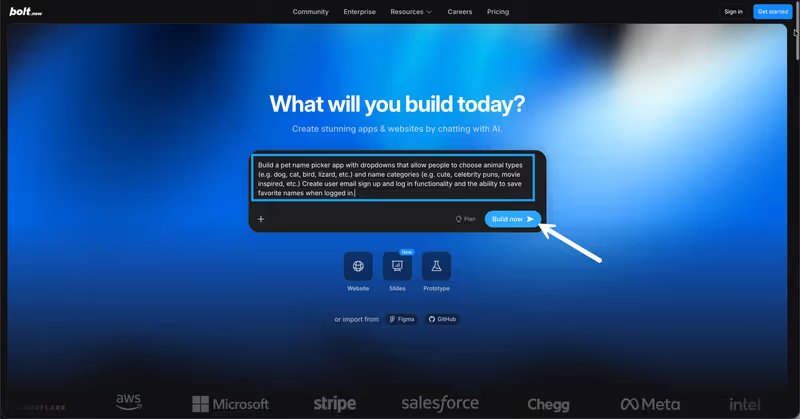
Bolt vs Softgen, on screen

bolt.new
Bolt homepage
softgen.ai
Softgen homepage

The fairest way to evaluate Bolt and Softgen is to skip the flashy template demos and judge them on a real client deliverable: a custom internal inventory tracker with secure user sign-in and client-specific data access. This shape of application represents the bulk of professional client work. The visible pages look simple, but the actual product hinges on relational data architecture, session limits, and the absolute guarantee that unauthorized eyes cannot access internal pricing tables.

Judging these tools on client work splits them along their deepest fault line. Bolt acts as a browser-native development workspace that expects you to manage backend wiring, while Softgen operates as a template-constrained chat-to-code compiler that builds things quickly but hits a visual ceiling early on. When a client requests custom layouts, third-party integrations, or specific access permissions, these tools will reveal their true architecture.


The audience

Who each one is for

Bolt

  • Developers who want rapid AI scaffolding without giving up terminal and filesystem access
  • Technical consultants comfortable reading React code and configuring their own third-party databases
  • Builders who need full styling, framework, and package control on a day-to-day basis
  • Teams who plan to start prototypes in a browser and finish them inside VS Code

Softgen

  • Non-technical founders who desperately need a visual MVP generated from a chat prompt
  • Indie hackers testing basic product directories and simple SaaS landing pages
  • Agile coaches and creators exploring fast visual iterations on prebuilt templates
  • Builders whose projects do not require advanced relational logic or custom permissions

Bolt assumes you understand standard web-development concepts and want code control; Softgen is designed to hide the code and keep you inside a conversational chat loop.

The scope

What you'd build with it

Bolt

  • Transactional web application prototypes built on modern React, Node.js, and PostgreSQL schemas
  • SaaS Minimum Viable Products built to scale past the browser and into an IDE
  • Full-stack custom utilities requiring specific npm packages and external API links
  • Web applications only: what it compiles cannot be packaged natively for mobile app stores

Softgen

  • Fast visual directories, early SaaS outlines, and promotional pitch-ready interfaces
  • Single-user database trackers and lightweight directory concepts
  • Basic gated-content sites backed by template user authentication databases
  • Highly customized layouts: anything outside of predefined templates is incredibly painful to adjust

The backend wiring dilemma

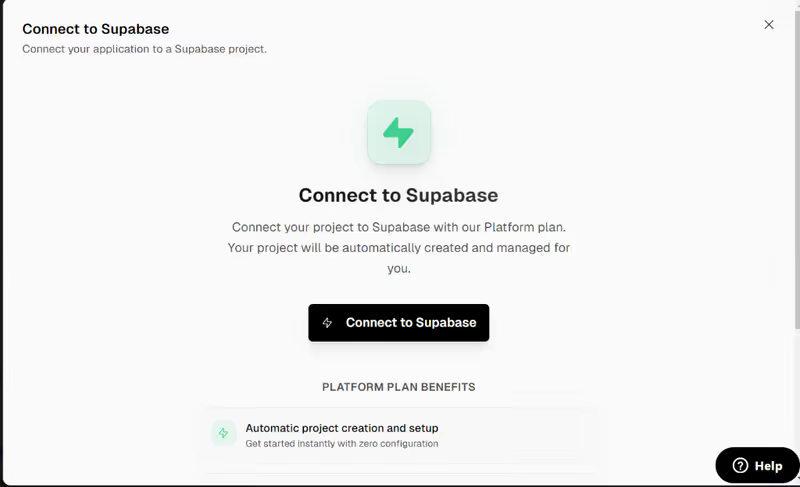
Under the hood, Bolt relies on WebContainers technology to execute a full Node.js stack natively inside your browser. This gives the developer an active terminal, a local filesystem, and package installation capabilities, but it leaves database and authentication architecture open. Unless you explicitly guide the AI to connect with an external service like Supabase, Bolt's database is whatever the script scaffolds locally - meaning you must manage environment variables, secure database credentials, and resolve setup parameters yourself to keep the app online.

Softgen takes the opposite path by baking standard user sign-in and relational table templates directly into its generation environment. This pre-configured infrastructure makes scaffolding initial logins fast, but it completely runs out of steam during custom data adjustments. Because Softgen hides the underlying stack behind its chat agent, editing relationships, updating data rules, or tracking specific field access requires you to repeatedly prompt an AI assistant that frequently struggles to break out of its fixed template lane.

Strengths

Where each one is strong

Edge: Bolt

Bolt wins on technical freedom. A browser-native dev environment with a real terminal beats a rigid prompt-only editor for client deliverables.

Bolt

  • Browser-native WebContainers that run npm processes, dev servers, and active terminals on one screen
  • Standard code export with no proprietary formatting, facilitating easy GitHub synchronization
  • Deep framework control, generating functional React components, Node backends, and SQL schemas in tandem
  • Smart in-editor error validation that provides prompt suggestions when compilation failures occur

Softgen

  • Low structural friction backed by prebuilt templates for user databases and Stripe integrations
  • Annual access subscription models paired with pay-as-you-go credits, avoiding high monthly bills
  • Conversational planning helper that helps users outline schemas before triggering visual builds
  • One-click hosting environment with custom domain capabilities right out of the box

Failure modes

Where each one breaks

Edge: Bolt

Softgen relies entirely on conversational prompts for edits, creating visual and structural bottlenecks that are incredibly hard to debug.

Bolt

  • Uncontrolled code regressions where the AI completely rewrites a working file, destroying prior edits
  • Excessive token burn when the container enters error loops, draining monthly limits on non-functional code
  • Project-size limits that halt prompting once codebases exceed the browser memory capacity
  • OOM container crashes on large files, halting active progress during heavier development phases

Softgen

  • The visual edit ceiling: fine-tuning spacing or text alignments repeatedly fails outside of default templates
  • Prompt loops that burn visual credits on repetitive commands trying to fix simple layout spacing
  • Lack of a manual drag-and-drop editor, forcing builders to use prose prompts for minor changes
  • Very basic access-control mechanisms that lack field-level visibility or button-level rules

Iteration cost

The fix loop, priced

Edge: Bolt

Bolt provides standard token pools and rollover, whereas Softgen can consume pay-as-you-go credits rapidly during design deadlocks.

Bolt

  • Pro plan begins at $25/mo for 10M tokens, scaling up to Teams options
  • Reported burn rate: tokens are spent on code-comparison diffs that fail to apply to files
  • Worst-case loop: spending an entire monthly token pool attempting to fix a single compilation error
  • Rollover rules: unused tokens roll over for up to two months, provided you remain subscribed

Softgen

  • Annual membership is priced at $33/year, with additional pay-as-you-go credit packages
  • Reported burn rate: multiple prompt credits are consumed quickly while iterating on visual layouts
  • Worst-case loop: hitting styling deadlocks on template alignments, burning through paid packages
  • Structural rules: credit usage is strictly metered per revision run without free monthly resets

AI developers charge you for their own compilation mistakes. An iterative design process can easily turn into an expensive battle, which is why managing the fix loop tax is a serious operational expense.

Exit paths

The code you end up with

Edge: Bolt

Bolt provides a standard repository that transitions effortlessly to any developer's local editor, making exit paths completely painless.

Bolt

  • Export clean standard React and Vite codebases with zero proprietary limits on external tools
  • Direct GitHub repository sharing and automatic sync to maintain active version histories
  • Clear file-tree structure that can be easily parsed by secondary team members
  • No platform dependency: you can pick up your code, walk away, and host it anywhere

Softgen

  • Export capabilities are provided, but template-derived code is often hard to port cleanly
  • No visual Git version system, making manual rollbacks highly difficult
  • Code relies on generic structure standards that are complicated for external developers to audit
  • Scaling past Softgen's infrastructure requires completely restructuring how the backend handles queries

When neither wins

Here is the uncomfortable truth about client-facing portals and databases: roughly 80% of the job is configuring authentication protocols, enforcing security groups, and securing database operations. Because both Bolt and Softgen generate this logic through generative AI prompts, they ultimately expect the builder to audit security-critical code. Inspecting unverified policies takes significant experience. If you are not a seasoned software engineer, you have just inherited the responsibility of maintaining an unstable, potentially vulnerable app repository.

For builders who want to skip the code maintenance entirely, Softr handles authentication, relational schemas, user groups, and row-level permissions as core visual configuration. Instead of generating unvetted scripts, Softr coordinates secure, existing blocks directly against native databases. It is not the right fit if you want to export React code or build a highly custom consumer product, but it is the fastest, safest route to shipping production-grade business tools that require zero code debugging.

Verdict

Bolt wins this matchup, conditionally. If you are a developer or a highly technical builder who needs a fast container environment to scaffold React/Vite codebases, Bolt provides the necessary file control and terminal capabilities to take on custom projects. Just keep a close eye on your token counts, choose an external backend like Supabase, and prepare to clean up code regressions manually when the generation path strays.

Softgen remains a low-cost, template-centric playground suited primarily for static layout mockups, directory concepts, or quick visual MVPs that won't require ongoing maintenance. The moment your client asks for visual tweaks beyond the standard templates, the conversational chat interface will trap you in an frustrating, credit-burning feedback loop.

For non-technical freelancers and agencies building functional operational tools for professional clients: looked past both code generators. Writing custom code from scratch is a development job, but generating fragile codebase structures using AI is a long-term liability. Use no-code platform infrastructure like Softr to deliver clean, custom portals on time, without the baggage of an unmaintained codebase.

Q & A

Frequently Asked Questions

Is Bolt better than Softgen for client projects?

Yes, Bolt is significantly better because it provides full filesystem access, an active terminal, and standard React export. Softgen is highly constrained by its conversational editor and default templates, making custom client requests extremely hard to implement.

Can I export my code from Bolt and Softgen?

Both platforms support code exports. However, Bolt delivers a standard React/Vite structure that syncs directly to GitHub and can be opened in any IDE, while Softgen exports structural file collections that can be difficult to port into external frameworks.

Which costs more to edit over time, Bolt or Softgen?

In Bolt, you are limited by token consumption, and errors can quickly drain your allowance. Softgen operates on a pay-as-you-go model that charging credit packages per revision, which can become unexpectedly expensive if you get stuck in a visual prompt loop.

Should non-programmers use no-code platforms instead?

Programmatic code generators often introduce unexpected technical debt. No-code solutions like Softr construct client portals and internal databases visually, providing built-in authentication, enterprise user groups, and hosted tables with no code output to debug.
