
Compare Tools

Bolt vs Same.new: which one survives scaffolding a web app from a reference design?

June 16, 2026

Verdict

Bolt wins if you need a real, functional codebase scaffolded; Same.new wins only for basic website layouts cloned instantly from a live URL.

Bolt logo

Bolt

In-browser AI dev environment that scaffolds and runs full-stack apps.

Same.new logo

Same.new

Clone a live site's UI into editable React fast, if you stick to simple layouts

Bolt vs Same.new, on screen

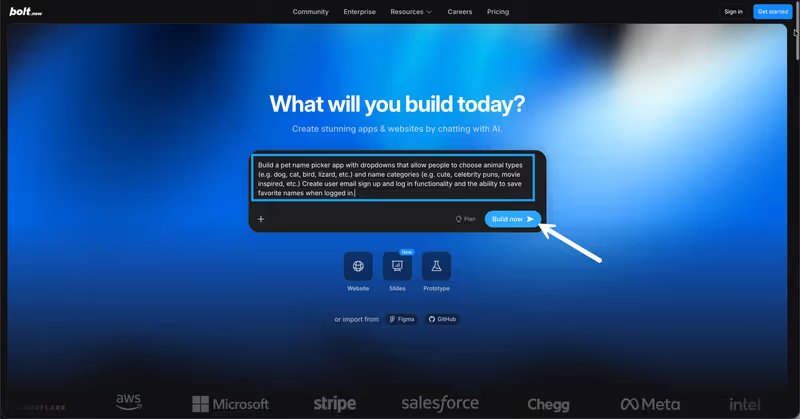
bolt.new
Bolt homepage
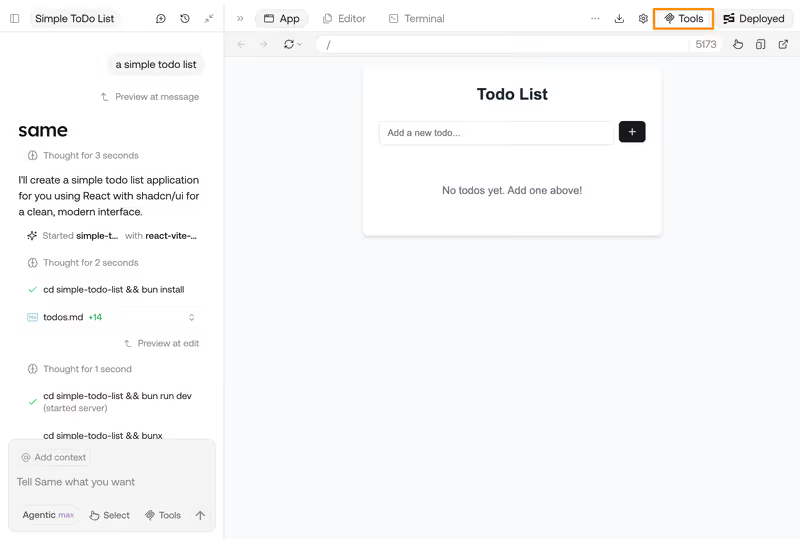
same.new
Same.new homepage

The hardest part of building from a reference design is not writing the first layout; it's surviving the transition from a visual clone to a working full-stack application. When given a visual blueprint, a mockup, or a live site to copy, the developer's immediate goal is a clean, modular repository with styling, routing, and component states intact. A visual replication tool that only duplicates absolute positions on a grid leaves you with a flat design reference; a development environment leaves you with a foundation you can scale.

This comparison isolates the single job of scaffolding a full-react web application from a reference design. While one tool approaches the task by reading a live CSS blueprint and outputting frontend code, the other constructs a full-stack environment. The failure modes this exposes, from visual layout breakage to destructive code overwrites under the hood, separate visual prototypes from genuine development candidates.


The audience

Who each one is for

Bolt

  • Developers and engineers who want to generate complete, structured workspaces without setting up local tools.
  • Technical founders seeking to scaffold a full-stack React database-connected application rapidly from a visual starting point.
  • Product managers who need to run terminal commands and install npm packages directly inside their browser.
  • Teams whose final deliverable is an organized React/Vite repository synced directly to GitHub for long-term ownership.

Same.new

  • Front-end designers who want to quickly replicate visual compositions of simple, live reference sites.
  • Makers and agency builders looking to create visual clones of existing landing pages as temporary design references.
  • Prototypers who prefer styling adjustments via conversation and are comfortable discarding the generated components later.
  • Builders focused entirely on visual assembly with zero interest in managing server environments or APIs.

Bolt targets technical builders who treat visual assembly as a gateway to real code development. Same.new targets designers recreating interfaces for quick frontend mockups.

The scope

What you'd build with it

Bolt

  • SaaS Minimum Viable Products combining React components, database schemas, and actual user authentication loops.
  • Full-stack web applications where developers can edit backend logic and run interactive terminal tools locally.
  • Functional visual prototypes modeled after reference designs that will transition directly into active software code bases.
  • Web applications exclusively - Bolt cannot compile native builds for publication to the Apple App Store.

Same.new

  • Visual layouts of marketing landing pages generated directly from existing live web references and URLs.
  • Basic frontend mockups and CSS-heavy layouts that model simple interface designs for client demonstrations.
  • Component variations copied from existing pages and forked into basic UI drafts for design exploration.
  • Isolated UI pages only - do not use it to build database integrations or handle secure backend transactions.

Who owns the visual context

Bolt handles reference design scaffolding by treating your prompt and reference input as an architectural blueprint. It initializes browser-based WebContainers, downloads a complete Node.js stack, and structures a real React/Vite workspace. It builds modular files, setups Tailwind variables, and generates components with standard routing libraries. Because it approaches the scaffold from a developer's perspective, the generated components are separated cleanly, clean routing structures are respected, and packages can be added programmatically to power interactive visual states after the initial scaffold is rendered.

Same.new (formerly Same.dev) targets visual replication directly at the layout level. By pasting a live URL, its clone agent parses elements, classes, and colors to output unified React and Tailwind code. However, this direct visual translation contains structural traps. On complex reference designs, the visual cloning mechanism struggle to structure interactive component states, nested flex grids, or complex layouts properly. This frequently results in an unstable component structure that is hard to port or iterate, leaving developers with visual replicas that must be completely rewritten manually to support live operational data.

Strengths

Where each one is strong

Edge: Bolt

Bolt takes this category because scaffolding a web application requires structured code logic, not just parsed CSS layers.

Bolt

  • Engineered full-stack scaffolding: Generates Vite configurations, routing modules, and backends alongside styled UI layouts.
  • WebContainers tech runs true terminal sessions and installs npm modules directly inside your browser window.
  • Clean, production-ready React layouts that developers can easily import and scale.
  • Pre-prompt enhancement features that refine your scaffolding requirements before generating initial designs.

Same.new

  • Instant visual URL cloning: Automatically replicating layouts, styling, and basic typography directly from live websites.
  • Low entry point for visual designers wanting quick visual mockups without complex tool chains.
  • Conversational layout adjustments to quickly test padding, color, or section re-ordering visually.
  • Quick frontend scaffolding for extremely simple layouts without setting up database variables.

Failure modes

Where each one breaks

Edge: Bolt

Same.new's database-barren, visual-only approach is highly fragile, occasionally destroying code structures during simple edits.

Bolt

  • Interactive iteration loops: edits applied as a visual diff can sometimes trigger whole-file rewrites that ignore custom states.
  • WebContainer out-of-memory crashes and browser-bound compilation errors on larger, code-heavy files.
  • Strict project size limits that block further prompts, even on paid plans with visual token credits available.
  • A lack of native visual database controls, requiring builders to configure Supabase via text prompt.

Same.new

  • Destructive layout regenerations: minor prompt revisions can overwrite completely clean pages or delete thousands of lines of working code.
  • Complete failure to replicate complex reference structures, nested visual grids, or dynamic UI states.
  • The recent domain transition from same.dev to same.new left active customer projects read-only or inaccessible.
  • The project fork utility regularly breaks on larger files, bringing design progression to a halt.

Iteration cost

The fix loop, priced

Edge: Same.new

Same.new features a lower entry cost, though both platforms can exhaust iteration tokens quickly.

Bolt

  • Pro plan begins at $25/month for 10 million tokens to compile and edit React code.
  • Tokens are drawn with every prompt, even when the model attempts and fails to resolve WebContainer runtime errors.
  • In worst-case scenarios, a user's entire monthly token budget is spent in debugging loops with no visual change achieved.
  • Token rollover limits allow users to keep unused allowances for a maximum of 2 months.

Same.new

  • Pro plan starts at a low entry price of $10/month and provides a baseline of 2 million tokens.
  • Additional tokens are billed on a tiered structure at $10 per 2 million tokens inside the editor.
  • AI agents rewriting whole layout documents rather than targeted blocks consume tokens with extreme inefficiency.
  • A history of charging pure pay-as-you-go models with unpredictable token depletion led to new fixed visual tiers.

Chasing visual perfection or debugging layout regressions on either platform can burn through token allowances rapidly. The cost of scaffolding scales with the complexity of your reference mockup.

Exit paths

The code you end up with

Edge: Bolt

Bolt scaffolds structured workspaces that you actually want to inherit; cloned code is often nested visual spaghetti.

Bolt

  • Standard, clean React/Vite repositories that compile and launch in any standard environment.
  • Instant visual GitHub synchronization keeps code changes version-controlled and safe from browser crashes.
  • No proprietary framework layers, giving engineers a completely standard baseline to expand.
  • Database connectivity requires developers to manually monitor and verify generated PostgreSQL schemas.

Same.new

  • React and Tailwind CSS markup that acts as a visual layout layout template.
  • Code packages that suffer from bad visual structural debt and unstructured absolute div positioning.
  • A backend infrastructure that is non-existent, requiring manual construction to handle interactive business logic.
  • High rates of duplicate layouts and unoptimized elements that are difficult to port cleanly.

When neither wins

If the reference design you are trying to scaffold is the blueprint for an operational business tool such as a secure client portal or inventory tracker, both tools invite immediate visual and structural regression loops. Replicating interface surfaces through prompt-generation leaves you with fragile, manual code that must be repeatedly audited for performance, validation, and privacy bugs.

For builders launching functional business tools, Softr bypasss visual scaffolding code entirely by utilizing pre-built, responsive UI blocks and verified login systems. It serves as the visual builder with no fix loop, handling data connections and column relationships through robust configuration instead of raw code generation. Softr is the wrong platform, however, if your goal is custom consumer-web styling or downloading standard React-Vite repositories to manage inside an IDE.

Verdict

Bolt wins this comparison for functional web app scaffolding. Under its preview window lies a genuine development ecosystem. By initializing modular code configurations, organizing real directories, and syncing your visual structures directly to GitHub, it scaffolds a web app that developers can actually inherit, modify, and build upon. While the token consumption during layout iterations is a constant operational tax, you finish the scaffold with a legitimate engineering foundation.

Same.new is a pure UI cloning alternative that belongs exclusively in the early design discovery stage. Its URL cloning tool lets you instantly match basic stylesheets and visual assets of simple live platforms. However, its high rate of layout breakage on responsive components, complete lack of full-stack services, and buggy code-generation limits its output to simple interface sketches.

For technical teams, the choice is simple: utilize Bolt to scaffold clean Vite structures, save the files to GitHub, and run your design changes inside a developer-driven workspace. If your final objective is an internal database app, skip the visual code generator entirely and build the portal on platform-grade layout infrastructure.

Q & A

Frequently Asked Questions

Is Bolt better than Same.new for reference design scaffolding?

Yes. Bolt constructs functional, modular full-stack code bases with real environments, backend configurations, and Git version control. Same.new only parses the outer visual layout from URLs, producing loose frontend mockups missing backend architecture.

Can I export my code from both platforms?

Both allow code exports. Bolt delivers structured React and TypeScript workspaces via direct download or Github synchronization, while Same.new provides a visual code export tool of the cloned React markup and CSS layouts.

Which tool costs less to run and iterate?

Same.new offers lower entry options starting at ten dollars a month, but its layout generation often consumes visual tokens inefficiently. Bolt costs more upfront at twenty-five dollars monthly but provides a real, high-performance workspace.

How should non-developers deploy a reference backend?

Instead of generating database logic through visual prompts, builders should utilize dedicated no-code platforms. Softr provides built-in user permissions, visual datastores, and ready-to-publish components that do not require code debugging.
