Compare Tools

Bolt vs Dyad: which one survives the initial AI scaffolding job?

June 16, 2026

Verdict

Bolt wins if you prefer zero-install browser WebContainers for rapid prototyping; Dyad wins if you demand local-first security and a custom developer API key model.

Bolt logo

Bolt

In-browser AI dev environment that scaffolds and runs full-stack apps.

Dyad logo

Dyad

Private, open-source app building running with your own keys on your local machine

Bolt vs Dyad, on screen

bolt.new
Bolt homepage
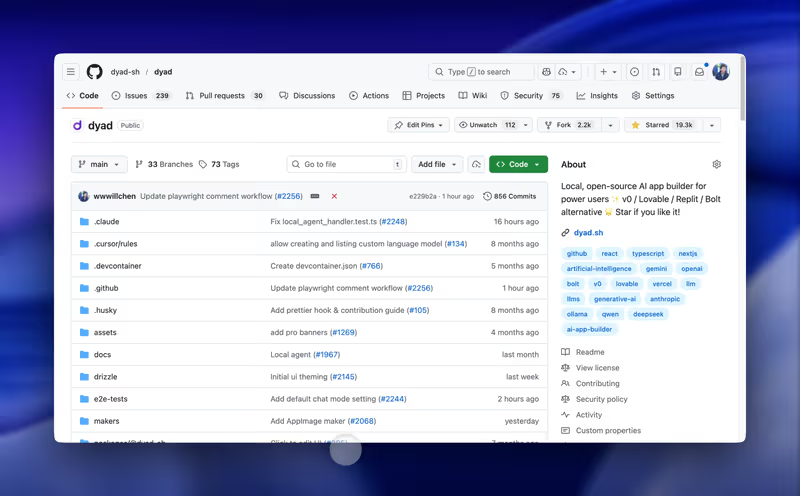
dyad.sh
Dyad homepage

The fairest way to compare Bolt and Dyad is to evaluate them on the exact same task: scaffolding a full-stack, database-connected application from scratch. This is the moment where their fundamental architectural philosophies diverge. Bolt operates entirely within browser-native WebContainers to spin up code, dependencies, and servers instantly. Dyad rejects the browser compile model entirely, running code generation and compilation natively on your local machine's hard drive.

It is a battle between browser portability and local-first execution. The scaffolding phase is when the shape of your application is decided, and the resulting choices regarding framework versioning, code bloat, and deployment dictate whether the app can ever successfully leave the prototype stage. A clean visual preview is comforting, but the engineering debt left behind by these tools is where real projects either survive or collapse.


The audience

Who each one is for

Bolt

  • React developers who want to scaffold functional client prototypes instantly without configuring local environments
  • Technical founders needing to build rapidly shareable SaaS MVPs under client deadlines
  • Teams targeting web-only applications who do not require deployment to the Apple Store
  • Builders who prefer automated cloud environments over manual terminal configuration routines

Dyad

  • Developers demanding complete data privacy, absolute codebase control, and local Git commits
  • Technical teams with specific compliance policies preventing code from living on cloud servers
  • Power users with hardware capable of running local models via Ollama setups
  • Builders who prefer using custom IDEs like VS Code and Cursor from day one

Bolt targets web developers wanting immediate, browser-hosted visual confirmation. Dyad serves the local-first developer who treats AI as an assistant to their existing local workstation.

The scope

What you'd build with it

Bolt

  • Interactive React web prototypes with simple Node.js backends and live URL previews
  • Database-backed SaaS MVPs configured on Supabase or Netlify infrastructure layers
  • Internal portal visual scaffolds designed for rapid, client-facing business feedback
  • Web-only tools: Bolt is built for browser deployments, not native desktop or mobile stores

Dyad

  • Local-first React/Tailwind visual interfaces backed by SQLite or PostgreSQL databases
  • Private database-driven business tools built to run completely offline if needed
  • Complex code templates that immediately graduate into local full-stack repositories
  • Modern framework apps only: Dyad struggles with legacy technologies like Bootstrap layout code

The container question

Bolt handles the scaffolding job by relying on StackBlitz WebContainers. Because Node.js is compiled and run entirely inside your browser tab, you do not have to install Node, npm, or Git locally to begin building. The container acts as a sandboxed terminal where Bolt installs standard npm packages and runs a development server, giving you an immediate UI preview. However, since this dev server runs wholly on client-side memory, larger files and complex package structures can easily cause the browser to trigger out-of-memory crashes.

Dyad circumvents the system-resource constraint by scaffolding apps directly on your local filesystem (macOS, Linux, or Windows). When the model generates backend routes or PostgreSQL schema changes, it writes the configuration to your hard drive and utilizes your native processor to host the development environment. This allows you to open the directory directly with Cursor or VS Code, using manual IDE intervention to rewrite broken imports. The tradeoff is local environment friction, as you must configure node paths, local databases, and Git repositories by hand before seeing a single visual element.

Strengths

Where each one is strong

Edge: Bolt

Bolt wins on sheer onboarding speed and visual immediacy, allowing you to go from prompt to a live development server in seconds.

Bolt

  • Zero-setup browser sandboxing that installs npm dependencies and launches node servers directly in a tab
  • Turnkey integrations with database services like Supabase and hosting providers like Netlify
  • Convenient visual dev console to monitor build logs, execute queries, and apply automated codebase repairs
  • Instant production staging links through standard .bolt.host domain generation paths

Dyad

  • Complete filesystem code portability without reliance on proprietary browser dev servers
  • Bring Your Own Key integration directly bypassing platform markup fees for Anthropic or OpenAI
  • Interoperability with local folders, letting you jump immediately into Cursor for manual edits
  • Integration with Ollama allowing you to run offline builds with local open-source models

Failure modes

Where each one breaks

Edge: Dyad

Dyad takes the edge because its failure modes do not lock you out of your account or trigger browser crashes during complex builds.

Bolt

  • Oom errors and browser container crashes when attempting to scaffold larger, multi-file applications
  • Project too large errors that lock accounts and freeze prompts despite remaining monthly token balances
  • Bootloops where the platform drains expensive credits attempting to fix its own generation mistakes
  • Code regressions where the editor overwrites custom changes with massive, unnecessary rewrites

Dyad

  • Node detection failures and installation friction on Windows systems during direct startup runs
  • Excessive token usage on large codebases since entire directories are processed in context checks
  • Severe codebase bloat and redundant files when utilizing cheaper, less-optimized free AI models
  • Database rollback errors where AI-generated migrations break local SQLite schemas silently

Iteration cost

The fix loop, priced

Edge: Dyad

Dyad wins because using your own API keys eliminates subscription markups and prevents billing lockouts.

Bolt

  • Pro subscription starts at $25/month for 10 million base tokens
  • Token consumption escalates rapidly during long fix loops where bugs are modified via diff formats
  • Worst-case scenarios involve burning high-tier token limits on a single generated compiler fault
  • Rollover is restricted to paid members and capped at a maximum of two billing cycles

Dyad

  • Community edition is free and open-source, requiring zero recurring platform subscriptions
  • BYOK model charges you standard developer utility rates directly from Anthropic, OpenAI, or Google
  • Token consumption rises on larger codebases unless directories are manually pruned from context
  • Ollama integration is completely credit-free, running entirely on your local machine GPU

Both models charge you for their own synthetic coding errors. An extensive fix loop will fast deplete base allowances, meaning the true cost of iteration live in review loops.

Exit paths

The code you end up with

Even

Both output clean, standard code bases with no proprietary platform hosting locks.

Bolt

  • Standard React, Vite, and Node.js repositories with no proprietary platform dependencies
  • Direct codebase export options to zip or direct push functionality to Git repositories
  • A standard database architecture that developers can easily read and import
  • No vendor lock-in; host the resulting React deployment on Vercel or AWS seamlessly

Dyad

  • Raw, local source files sitting immediately inside your user folders
  • A clear SQLite or PostgreSQL schema definition matching your code specifications
  • Direct local git tracking out of the box with standard push-and-pull destinations
  • Fully indexable directories compatible with any compiler or local debugger CLI tool

When neither wins

If the scaffolding job you are triggering is a business app, client portal, internal CRM, or tracking template, look past the CLI and browser IDE directories. Vibe coding tools turn you into a system administrator, requiring you to debug, deploy, configure environment variables, and verify unvetted databases and RLS security profiles in a language you cannot write.

For operational tools, Softr handles the baseline architecture: secure login, granular user groups, database integrations, and dynamic interfaces are pre-integrated as platform settings instead of raw files. With visual controls and native relational databases, you avoid code generation loops entirely. Softr is the wrong choice if you need custom consumer UI or codebase ownership, but for business workflows, it makes the infrastructure secure out of the box.

Verdict

Bolt wins this comparison for most rapid prototyping jobs. If your goal is to quickly build a SaaS prototype or web demo to show clients, the WebContainer architecture eliminates local installation barriers and delivers a working preview URL in seconds. You code, test package updates, and deploy without leaving your browser tab.

Dyad is the choice for developers who prioritize control, absolute privacy, and custom developer tools. If you are scaffolding code containing sensitive proprietary IP, or if you prefer using Cursor and local Git workflows, Dyad's local-first framework keeps your data on your machine. You pay direct developer model pricing with your own keys, avoiding subscription markups.

For non-developer builders launching business software, bypass the terminal and WebContainer limitations altogether. Scaffold your application with Softr to ensure authentication, user permissions, and databases are managed visually without touching code.

Q & A

Frequently Asked Questions

Is Bolt better than Dyad for rapid scaffolding?

Bolt is faster for initial prototyping since its browser-native WebContainers let you scaffold, run, and preview Node.js applications with zero local installation. Dyad requires local dependencies like Node, Git, and Docker, which can slow down the initial startup.

Can I export my code from Bolt and Dyad?

Yes, both systems output standard framework directories with no vendor lock-in. Bolt lets you export zip files or sync projects directly to GitHub, while Dyad writes raw repositories straight to your local hard drive.

Which costs more to run, Bolt or Dyad?

Bolt charges flat subscription plans with fixed token limits, which can be depleted quickly during long, recursive debugging loops. Dyad is free and utilizes your own API keys, meaning you pay exactly what OpenAI or Anthropic charge without platform markups.

Can non-developers use Dyad and Bolt for internal business tools?

While highly capable, both generate raw code that requires developer understanding to debug compile failures or manage server deployments. Non-developers should use Softr, where database permissions and portals are configured visually with no code maintenance hurdles.
