
Compare Tools

Cursor vs Same.new: which one survives taking a prototype to a real product?

June 16, 2026

Verdict

Cursor wins if you are a developer looking to scaffold and own a complete codebase; Same.new is only for non-developers who want to prompt and iterate on basic visual cloning.

Cursor logo

Cursor

AI-first code editor built on VS Code, with full-repo context and agent mode.

Same.new logo

Same.new

Clone a live site's UI into editable React fast, if you stick to simple layouts

Cursor vs Same.new, on screen

cursor.com
Cursor homepage
same.new
Same.new homepage

The fairest way to compare Cursor and Same.new is to evaluate them on a single, make-or-break task: taking an initial vibe-coded user interface prototype and graduating it into a real, production-ready product. This transition is where frontend concepts slam directly into backend realities. The code that looks stunning in a browser preview suddenly needs authentication, state management, secure database connections, and a structured deployment architecture to survive real-world usage.

This specific job exposes the deep split between two development philosophies. Same.new relies on a pure "prompt-and-iterate" visual layout paradigm, cloning existing web designs into editable React wrappers. Cursor, on the other hand, is a native IDE built for developers who want to "scaffold-and-own" their codebase, leveraging agentic code editing directly against local folders to write, refactor, and manage code natively. One keeps you inside a visual prompt bubble; the other expects you to take the wheel of a real development environment.


The audience

Who each one is for

Cursor

  • Software engineers who want to code significantly faster within a professional local workspace.
  • Technical founders comfortable managing local dependencies, API routes, and terminal logs.
  • Developers using agentic AI to manage complex refactoring tasks across large multi-file codebases.
  • Builders who demand absolute code ownership and control over hosting, packages, and frameworks.

Same.new

  • Designers and product specialists who need to clone and visually edit mockups in minutes.
  • Non-technical builders wanting to manipulate React component styles without looking at syntax.
  • Prototypers needing a rapid visual draft of a simple landing page or directory interface.
  • Teams whose primary progress is measured by visual iteration rather than backend engineering.

The division of labor is stark. Same.new is designed for those who want the AI to insulate them from the code editor, while Cursor is built exclusively for those who live inside of one.

The scope

What you'd build with it

Cursor

  • Full-stack SaaS applications with custom server logic, databases, API gateways, and complex visual states.
  • Production-grade mobile apps, developer tooling, or performance-sensitive cloud services.
  • Legacy system integrations requiring meticulous refactoring of existing, multi-file codebases.
  • Visual portfolios that require precise, hand-tuned CSS animations and highly interactive states - a bad fit if you cannot write React.

Same.new

  • Visual clones of standard landing pages to test visual content variations quickly.
  • Simple React frontend headers and static pricing card blocks for quick product ideas.
  • Early-stage mockup layouts with mock data to show stakeholders how a portal might look.
  • Dynamic internal dashboards with relational data - a total non-starter due to the complete lack of native databases.

Prompt-and-iterate vs scaffold-and-own

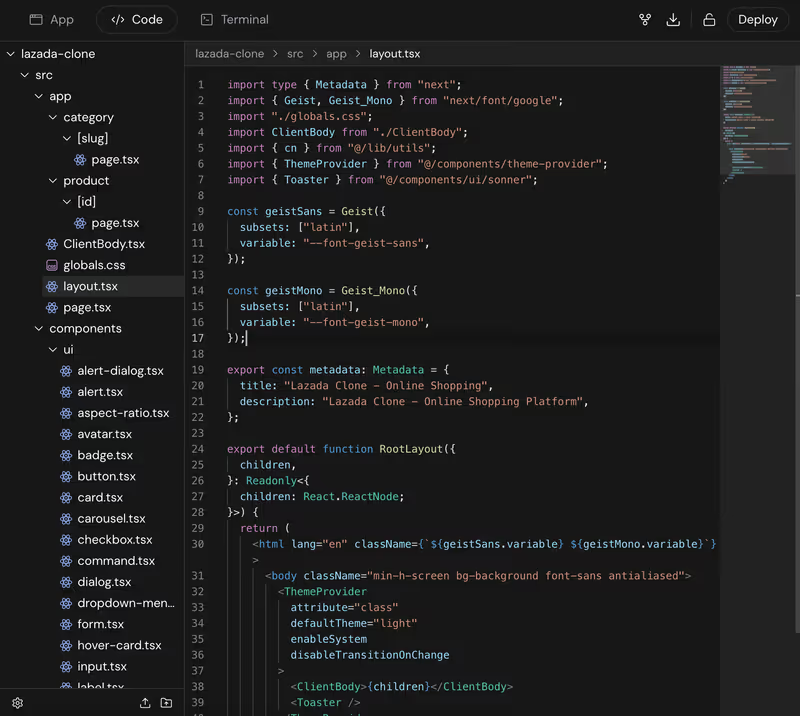
Same.new operates as a visual sandboxing tool. When you paste a URL, the AI attempts to scrape the CSS and reconstruct a visual clone inside a contained browser panel. Every subsequent modification requires feeding verbal prompts back to the AI assistant to swap elements or change colors. For a simple visual prototype, this prompt-and-iterate loop works comfortably, but the moment you need real backend architecture, you hit a concrete wall. Same.new does not package native databases or enterprise-ready user authentication. To turn its generated frontend into a real database-driven product, you must manually export the raw React files and rebuild the plumbing yourself.

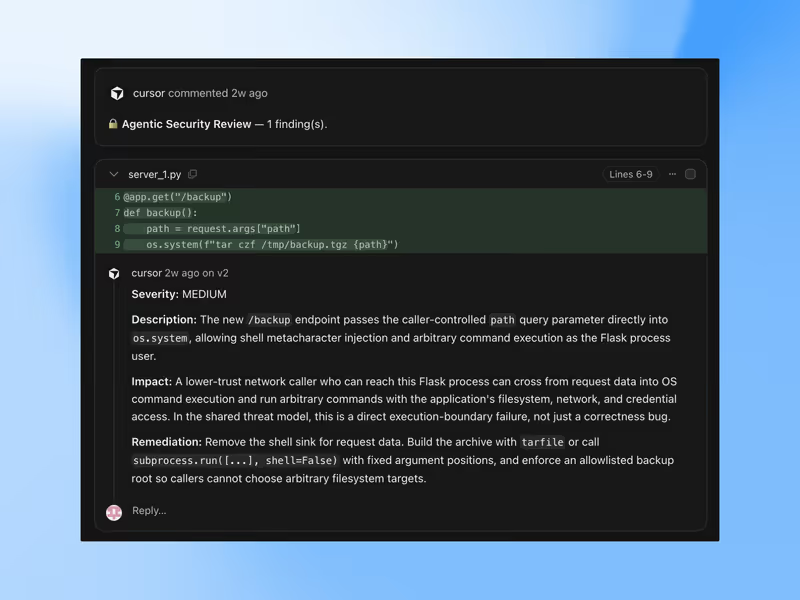
Cursor approaches the transition from the opposite direction. It inherits the entire VS Code extension ecosystem and indexing mechanisms to scan your local project using full-workspace awareness. In Composer/Agent mode, Cursor doesn't just suggest single-file visual updates; it opens, updates, and creates files across your entire project to wire up real middleware, NextAuth packages, or PostgreSQL connections. There is no training wheel environment or browser abstraction layer. You are editing the exact code files that will be pushed to Git and deployed to production, meaning you have final, total control over code execution.

Strengths

Where each one is strong

Edge: Cursor

Cursor dominates on building real, stable software. Its workspace indexing guarantees high-fidelity editing across your entire project structure.

Cursor

  • Multi-file agent execution using Composer mode, which plans and modifies code directly across files to wire up backend integrations.
  • Full-codebase semantic search and indexing, allowing the AI to understand architectural patterns in legacy repositories.
  • Complete VS Code ecosystem compatibility, giving you native terminal access, git control, and preferred linter plugins.
  • Zero vendor lock-in; you work with local files that can be built, tested, and self-hosted on any hosting provider.

Same.new

  • Visual replication cloning that parses a live URL's design elements and creates a working React viewport instantly.
  • Frictionless visual tweaking controls that extract colors, headings, and layout properties for easy no-code tweaking.
  • Visual fork settings to quickly spin up design variations of simple visual layers without local terminal setup.
  • In-browser component sandbox requiring absolutely zero local installation or API key configuration to begin.

Failure modes

Where each one breaks

Edge: Cursor

Cursor's failures are standard developer errors; Same.new suffers from destructive updates that can erase large blocks of layout code.

Cursor

  • Agentic dependency loops in Composer mode, where the AI can occasionally run in circles trying to fix complex library version mismatches.
  • High CPU and RAM usage when indexing large enterprise codebases on standard hardware.
  • Frequent rate limits on Pro plans that force builders into slow query queues during heavy refactoring loops.
  • Strict engineering requirement; the tool will not compile, run locally, or host the site for you if you cannot fix package errors.

Same.new

  • Destructive code deletion, where community members report simple section updates routinely wipe out hundreds of lines of working React code.
  • Extreme fragility on complex layouts and nested grids, which frequently fail to clone accurately from active URLs.
  • Complete lack of native databases, authentication flows, or utility pages required for production business tools.
  • Platform migration instability; project rendering breaks and file locks reported during visual visual tool rebrands.

Iteration cost

The visual edit loop, priced

Edge: Cursor

Cursor's predictable subscription and local execution save massive costs compared to Same.new's token-burning iteration cycle.

Cursor

  • Pro plan costs $20/month and provides 500 fast agent queries per month.
  • No extra costs for compiling or running local server loops since builds run natively on your machine.
  • High-tier usage scales predictably with explicit upgrade plans like Business/Teams at $40/month per user.
  • Hobby tier gives 50 free fast queries to test agent execution parameters.

Same.new

  • Pro plan costs $10/month and includes a base of 2 million execution tokens.
  • Additional tokens are billed at a pay-as-you-go rate of $5 to $10 per 2 million tokens.
  • Rapid prompt loops to fix visual alignments can burn through millions of tokens in a single afternoon.
  • No structural rollover of unused tokens; users wait on rigid monthly resets or purchase direct model overages.

Prompting an AI to rebuild layouts or rewrite React packages iteratively comes with a steep fix loop tax that can consume your budget before you ever deploy.

Exit paths

The code you end up with

Edge: Cursor

Absolute ownership of raw standards-based files makes Cursor the only candidate for a code asset expected to scale.

Cursor

  • A standard local codebase (React, Next.js, Python, or Go) directly connected to your Git repository.
  • No dependency on proprietary hosting; the code compiles locally and can be deployed anywhere from Vercel to AWS.
  • No custom platforms required; any developer globally can open your folder in a standard terminal and begin editing.
  • Enables clean, modular project architectures that do not suffer from AI framework drift.

Same.new

  • Raw frontend React components styled with Tailwind CSS, which can be downloaded locally.
  • Highly visual single-page code structures that lack real modular database routing protocols.
  • Lack of underlying server architecture, meaning exported code requires a backend developer to build matching API endpoints.
  • Documented files can grow bloated with inline duplication patterns if generated recursively through multiple prompt edits.

When neither wins

If you are trying to take a customer portal, internal workspace, or business tracking system from prototype to functional product, there is a massive trap waiting for you. Both of these tools force you to be a permanent debugger of generated code. If you use Same.new, you get beautiful styling but no database or authentication infrastructure. If you use Cursor, you get an IDE that requires you to configure databases, environment variables, authentication, and hosting environments manually. If you are not a professional software engineer, you will quickly find yourself trapped in the day two problem.

If your goal is to build an operational tool for your business, the answer is Softr. Softr has no code-debugging loops because it treats crucial elements like secure login flows, user authentication, and granular row-level database security as platform infrastructure instead of raw, hallucinated code. You build visually using highly responsive native blocks, and your database sits securely server-side from day one. Softr is the wrong tool if you want to write custom low-level React packages or own a custom codebase - but if your job is to ship a stable internal portal or client app, it is the only path with no fix loop to pay for.

Verdict

Cursor wins this comparison decisively for anyone who intends to own their code and run a real software product. Because Cursor operates as a professional local IDE, it leaves you with a standard, containerized, and secure Git-managed repository that you can build, scale, and refactor for years to come. In Composer mode, it functions as a highly collaborative junior engineer working directly on your filesystem, giving you the infrastructure control that Same.new cannot provide.

Same.new is only the right choice if your objective is to stay entirely behind a conversational prompt barrier to quickly duplicate and modify standard page styling. If you are a designer who needs to generate static, gorgeous visual layout variations of a landing page mockup before handing the design over to a real engineering team, Same.new's visual cloning mechanisms work well.

For builders who do not write code but need to deploy operations-ready software with databases, user permissions, and robust security, look past both. Do not waste credits or tokens trying to prompt a text assistant to construct secure user roles and database structures. Use a no-code visual engine like Softr to assemble verified, pre-tested infrastructure, and keep your software secure and fully functional from day one.

Q & A

Frequently Asked Questions

Is Cursor better than Same.new for making a SaaS product?

Yes, Cursor is significantly better for building actual SaaS products because it is a professional development workspace. Same.new only builds basic visuals and frontend blocks, completely lacking native databases, user authentication, and server-side logic.

Can I export code from Same.new and open it in Cursor?

Yes, you can download the React component files from Same.new and import them into a standard React project directory inside Cursor. However, you will still need to manually build the server, api endpoints, and database connections needed to make those visual views functional.

Which tool costs more to build an app, Cursor or Same.new?

Same.new can quickly become more expensive because iterating endlessly using visual model prompts consumes token quotas at a rapid, variable rate. Cursor operates on a highly predictable $20 per month plan that runs your builds natively and affordably on your local computer.

What is the best alternative for non-developers who want a database-driven app?

Non-technical builders should use Softr instead of attempting to generate complex app frameworks with AI code editors. Softr connects natively to visual databases and configures user permissions at the platform level without writing or maintaining generated code.
