Compare Tools

Cursor vs Dyad: which survives an enterprise AI coding workflow?

June 16, 2026

Verdict

Cursor wins if you need the strongest day-to-day coding workflow inside a mature editor; Dyad wins if local-first privacy and BYOK economics are non-negotiable.

Cursor logo

Cursor

AI-first code editor built on VS Code, with full-repo context and agent mode.

Dyad logo

Dyad

Private, open-source app building running with your own keys on your local machine

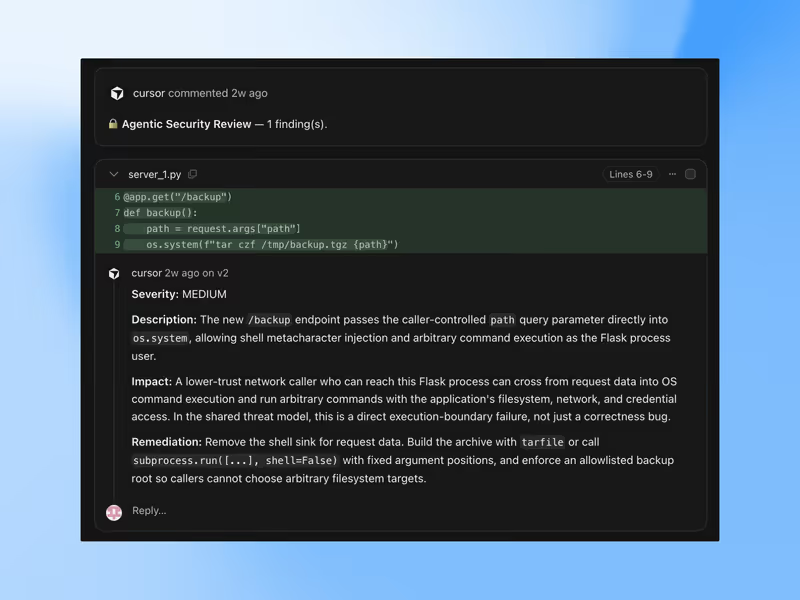
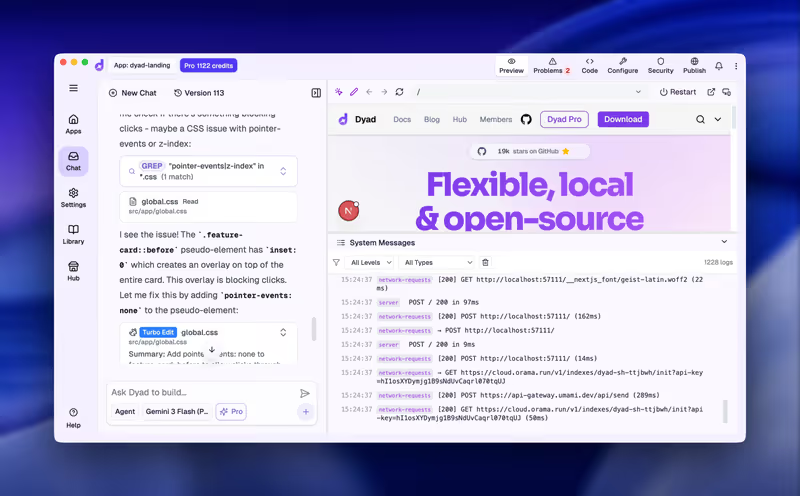
Cursor vs Dyad, on screen

cursor.com
Cursor homepage
dyad.sh
Dyad homepage

The fairest way to compare Cursor and Dyad is to judge them on one concrete job: taking a real software spec, scaffolding a working application, and then iterating safely across a multi-file codebase. They diverge here because Cursor is an AI-first editor built on a VS Code fork with cloud-backed assistance, while Dyad is a local-first builder centered on running code and models under your control.

This job exposes the failure modes that actually matter once the demo ends. If the tool loses track of repository context, burns through usage during repair loops, or leaves you with awkward code ownership tradeoffs, the speed gain disappears and the maintenance bill arrives immediately.


The audience

Who each one is for

Cursor

  • Professional developers who want AI inside a polished VS Code-style daily environment
  • Engineers working across larger repositories where multi-file context and editor integration matter
  • Teams already comfortable with cloud-assisted tooling layered onto normal git workflows
  • Makers who value fast setup, familiar shortcuts, and extension ecosystem continuity

Dyad

  • Privacy-first builders who cannot send source code or prompts to hosted platforms
  • Developers wanting BYOK control instead of bundled AI subscription pricing
  • Solo programmers comfortable managing local runtimes, terminals, and model configuration
  • Teams with sensitive IP policies that favor local execution over cloud mediation

Cursor serves the mainstream software team that wants an upgraded editor. Dyad serves the minority case where local control outranks polish.

The scope

What you'd build with it

Cursor

  • Multi-file production applications where repository-wide edits and refactors are routine
  • Web apps and services that benefit from strong editor support and extension compatibility
  • Existing codebases that need AI help without abandoning standard developer workflows
  • Not the ideal choice if zero-cloud handling is a hard compliance requirement

Dyad

  • Local-first full-stack prototypes where keeping code and prompts on-device matters most
  • Internal or sensitive projects that must avoid hosted AI indexing and storage
  • Small to medium apps using standard modern stacks and direct model-provider keys
  • Not a great fit for weak hardware or teams unwilling to manage local setup friction

Who owns the context window

Cursor approaches context as an editor problem. Because it lives inside a VS Code fork, it can lean on project structure, file navigation, and background indexing so prompts can target actual repository artifacts rather than a pasted snapshot. That makes agent-style edits more credible on larger codebases, but it also means the workflow depends on Cursor's hosted systems for fast responses, indexing behavior, and plan-based usage limits.

Dyad treats context as a local execution problem. The code lives on your machine, git history stays on your machine, and if you wire it to local models or BYOK providers, the reasoning path can stay under your control too. The tradeoff is that context quality and iteration speed become constrained by your hardware, local runtime health, and the tendency of weaker or cheaper models to bloat files or lose the architectural thread during repeated fix cycles.

Strengths

Where each one is strong

Edge: Cursor

Cursor gets the edge because mature editor integration usually matters more than local purity in a sustained coding workflow.

Cursor

  • VS Code continuity means familiar shortcuts, extensions, terminal habits, and workspace behavior
  • Repository-aware editing is stronger for multi-file changes than prompt-only generation workflows
  • Agent-style assistance is built into a developer environment already used for real implementation
  • Lower setup friction lets teams start in an existing codebase without rebuilding their workflow

Dyad

  • Local-first privacy keeps source files, prompts, and history under direct machine control
  • BYOK flexibility lets teams pay model providers directly instead of only platform bundles
  • Model choice can include hosted APIs or local runners depending on compliance needs
  • Portable raw files and native git usage reduce dependence on a closed hosted workspace

Failure modes

Where each one breaks

Edge: Cursor

Dyad's failures are usually harsher for this job because local setup and hardware limits can stop work entirely.

Cursor

  • Agent repair loops can consume usage while making broad edits that still need review
  • Cloud dependence means degraded responsiveness or limits can interrupt a normal coding session
  • Large automated changes can introduce subtle config or dependency breakage across the repo
  • The workflow is less appealing where data handling rules reject hosted AI assistance outright

Dyad

  • Local resource strain can make generation, compilation, or model runs painfully slow
  • Runtime setup issues around Node, packages, or local tooling can become manual debugging chores
  • Cheaper or weaker models are more likely to produce repetitive, bloated, low-trust code
  • Context can deteriorate faster on bigger repositories without the editor maturity Cursor provides

Iteration cost

The fix loop, priced

Even

One bills you through platform limits and the other through direct tokens and local labor; neither makes bad iteration free.

Cursor

  • Cursor's paid plans are subscription-based, with usage shaped by fast versus slower request allowances
  • Real-world burn appears when agent loops rewrite multiple files and need repeated corrective passes
  • Worst case is paying for a premium editor while still spending time manually undoing broad AI edits
  • The structural constraint is plan-governed throughput rather than open-ended, rolling usage ownership

Dyad

  • Dyad itself can be free or low-platform-cost, but model spend shifts directly to your own API keys
  • Real-world burn depends heavily on which model you attach and how many repair cycles the app needs
  • Worst case is a cheap-looking setup that accumulates token waste plus local debugging time
  • The structural fact is that BYOK improves price transparency, not immunity from expensive iteration

Both tools make the real bill show up in debugging, retries, and validation rather than first-pass generation.

Exit paths

The code you end up with

Even

Both leave you with standard code files rather than a trapped proprietary runtime.

Cursor

  • Cursor works on normal project files inside an editor-shaped workflow rather than a closed visual runtime
  • Output remains compatible with standard git hosting, team handoff, and ordinary deployment paths
  • You are not forced into proprietary UI blocks or a special hosting layer to keep the app running
  • The lock-in risk is mainly workflow dependence on the editor, not ownership loss of the code itself

Dyad

  • Dyad keeps files on disk from the start, which is the cleanest portability story available
  • Git usage is native, so exporting and moving the project is simply standard repository management
  • Self-hosting and deployment choices remain yours because the generated app is ordinary code
  • The lock-in risk is low on code ownership, though your local setup may be harder to reproduce

When neither wins

Neither tool solves the case where a team needs standardized, governed AI assistance inside an existing enterprise engineering stack with predictable controls across many developers. In that scenario the real decision is less about Cursor versus Dyad and more about whether you standardize on hosted editor augmentation, local-first exceptions, or a broader internal tooling policy for AI code generation.

Verdict

Cursor wins for the enterprise AI coding workflow if the core requirement is sustained developer throughput in a familiar, mature editor. Its strongest advantage is not raw model access but the combination of repository-aware assistance, multi-file editing, and VS Code-style continuity that reduces friction during real implementation.

Dyad is the better pick when privacy policy, data residency, or BYOK cost control outweigh editor polish. If your team cannot accept hosted indexing or wants the freedom to route work through its own keys or local models, Dyad's local-first posture is the decisive reason to choose it.

For larger organizations, the closing call is standardization. Pick Cursor when you want the smoother default workflow for most engineers, and reserve Dyad for the narrower cases where local execution policy matters more than editor maturity.

Q & A

Frequently Asked Questions

Is Cursor better than Dyad for enterprise coding workflows?

Usually yes, if the enterprise priority is developer throughput inside a mature editor. Cursor fits normal coding habits better because it layers AI into a VS Code-style environment with stronger repository-oriented ergonomics. Dyad is the better answer only when local-first privacy or BYOK control is the primary constraint.

Which costs more, Cursor or Dyad?

It depends on how often you hit repair loops. Cursor concentrates cost into a subscription with usage limits, while Dyad can look cheaper upfront but pushes spend into your own model tokens and local debugging time. The more rework the app needs, the less meaningful the headline price difference becomes.

Can I export my code from Cursor and Dyad?

Yes. Both are fundamentally code-oriented workflows rather than locked visual builders, so you keep ordinary project files that can live in git and move to standard hosting or handoff paths. Dyad is cleaner on local ownership from day one, but Cursor is also portable at the code level.

Does Dyad have less vendor lock-in than Cursor?

Yes, in workflow terms. Dyad keeps files and execution closer to your machine and lets you choose your own model providers, so dependence on one platform is lower. Cursor still leaves you with normal code, but its day-to-day value depends more on staying inside the product.

Can Dyad replace Cursor for professional developers?

Sometimes, but only for teams willing to trade polish for control. Dyad can cover privacy-sensitive or BYOK-driven work well, yet it does not match Cursor's smoother editor experience for most sustained professional coding. For the average engineering team, Cursor remains the safer default.
