Compare Tools

Cursor vs Mocha: which one survives taking a prototype to a real product?

June 16, 2026

Verdict

Cursor wins if you can own and maintain code after the prototype; Mocha only fits a short-lived draft, and non-developers shipping business apps should skip both for Softr.

Cursor logo

Cursor

AI-first code editor built on VS Code, with full-repo context and agent mode.

Mocha logo

Mocha

Chat-to-app builder, shutting down August 1, 2026 - migrate now

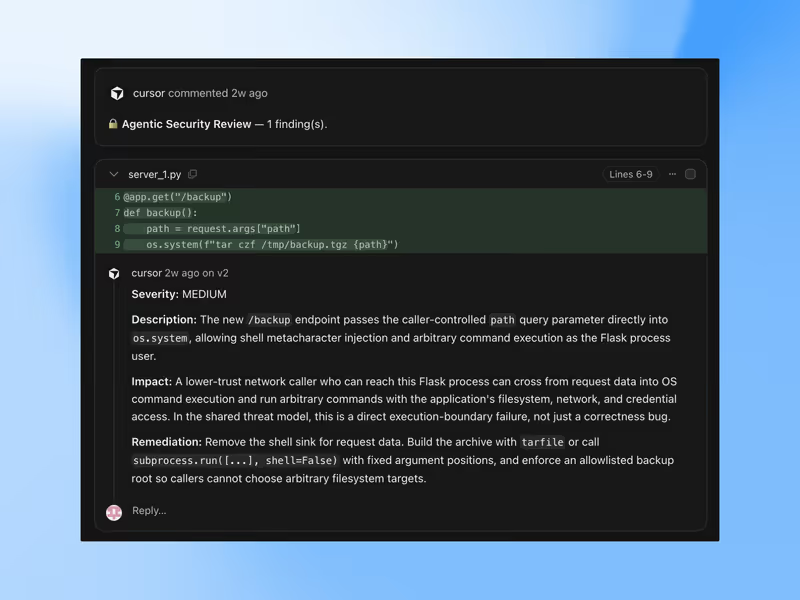
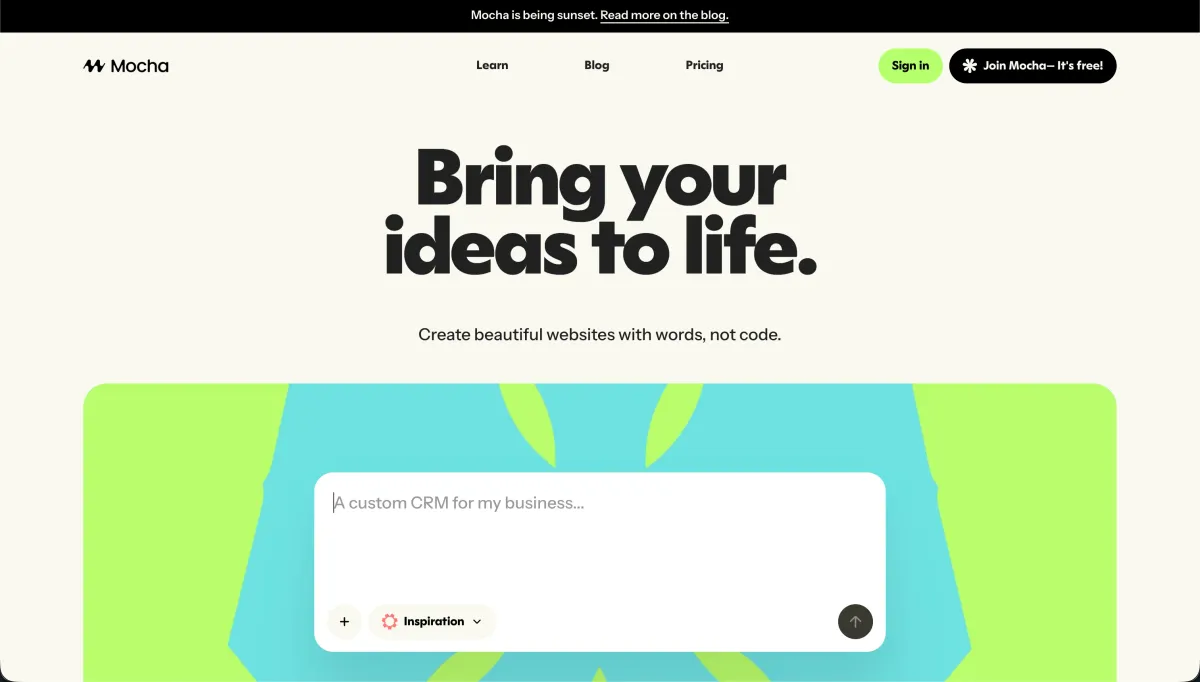
Cursor vs Mocha, on screen

cursor.com
Cursor homepage
getmocha.com
Mocha homepage

Taking a prototype to a real product is where AI app builders stop looking similar. Cursor and Mocha can both help produce an impressive first draft, but they diverge hard once the job becomes ongoing ownership: changing logic safely, debugging regressions, moving environments, and keeping the app alive after the initial prompt glow fades.

That makes this a useful stress test because the failure modes are not cosmetic. The product either becomes code you can inspect, run, and maintain, or it remains a generated artifact whose behavior depends on a hosted layer, weak export paths, or repeated AI fixes every time something breaks.


The audience

Who each one is for

Cursor

  • Working developers who want AI help inside a normal repo and terminal workflow.
  • Technical founders expecting to review diffs, edit files manually, and own deployment.
  • Product engineers extending existing applications rather than starting from a blank canvas.
  • Teams that need standard Git, CI, and local tooling instead of a hosted abstraction.

Mocha

  • Non-technical makers who want a fast mockup from prompts before touching code.
  • Early-stage founders testing a lightweight app idea without setting up infrastructure first.
  • Users who prefer browser-based generation over local environments, packages, and terminals.
  • People comfortable with a short-lived prototype and a likely migration later.

Cursor assumes you are willing to operate software. Mocha mainly appealed to people trying to postpone that reality.

The scope

What you'd build with it

Cursor

  • Production web apps where you need direct control over files, dependencies, and deployment.
  • Existing repositories that benefit from repo-wide context, refactors, and code-aware editing.
  • Custom SaaS products with nontrivial logic, integrations, and evolving backend requirements.
  • Not a visual no-code runtime for founders who never want to manage code.

Mocha

  • Quick database-backed prototypes, internal mockups, and simple utility apps from prompts.
  • Early concept demos that need a UI, basic data flow, and fast hosted preview.
  • Short-lived MVP sketches where export later is acceptable and platform risk is tolerated.
  • Not a sound home for long-term production software, especially given the shutdown timeline.

Who actually owns the application

Cursor answers the ownership question the conventional way: it works in your local codebase, indexes the repository, and lets its agent features operate on real files you can inspect, diff, test, and revert. The hinge mechanism is not just generation but editability. Because the code lives in a normal project structure with terminal access, package management, Git, and standard deployment paths, the AI can help, but it does not become the only way to change the system.

Mocha answers the same question through a hosted generation layer. It can produce a fast first version with built-in app scaffolding and a managed path to preview or deploy, but the control surface is narrower because change requests are mediated through the product's chat workflow and surrounding platform assumptions. Even with export, the hard part of the job starts after generation: untangling what was produced, replacing the hosted conveniences, and now doing that under the cloud of a published shutdown date.

Strengths

Where each one is strong

Edge: Cursor

For this job, durable ownership matters more than first-draft speed, and Cursor is built around that.

Cursor

  • Repo-native workflow with local files, Git, terminal access, and standard deployment options.
  • Agent and editing features can work across multiple files instead of only a single prompt output.
  • Built on a familiar IDE model, so teams can keep existing extensions and engineering habits.
  • You can stop using the AI at any point and still keep working in the same codebase.

Mocha

  • Fast prototype generation from prompts without setting up local tools or infrastructure first.
  • Browser-based workflow lowers the activation energy for founders and non-developers.
  • Managed scaffolding can get a data-backed demo on screen quickly for idea validation.
  • Export gives developers at least a path to salvage and migrate generated work later.

Failure modes

Where each one breaks

Edge: Cursor

Cursor's failures are mostly productivity problems; Mocha's include platform-end risk and migration pain.

Cursor

  • Agent misfires can create noisy edits, wrong abstractions, or broad changes you must review carefully.
  • Heavy AI-assisted sessions can burn through allowances while still requiring manual cleanup.
  • Large or messy repositories can reduce context quality and make generated fixes less reliable.
  • Cursor does not remove the need for actual engineering judgment on security or architecture.

Mocha

  • Shutdown risk means the platform itself is not a stable place to keep a product.
  • Prompt-mediated fixes can turn simple bugs into repeated regeneration cycles instead of precise edits.
  • Hosted conveniences become migration work when you need to move beyond the original environment.
  • Generated app logic still becomes your maintenance problem once the prototype enters production.

Iteration cost

The fix loop, priced

Edge: Cursor

A fix-heavy build hurts less when you can drop to direct code edits instead of paying for every correction through the interface.

Cursor

  • Paid use typically starts around a developer-tool subscription, then scales with heavier AI usage.
  • Real-world burn shows up during long refactors, retries, and broad agent passes across many files.
  • Worst case is paying for suggestions that still leave you doing manual debugging afterward.
  • Structural advantage: when the AI is wrong, you can continue in the same repo without the AI.

Mocha

  • The cost is tied to a hosted generation workflow rather than a normal engineering toolchain.
  • Real-world burn appears when you keep re-prompting for bug fixes, layout changes, and data behavior.
  • Worst case is spending credits iterating on a brittle prototype you will later need to rebuild anyway.
  • Structural drawback: many fixes stay inside the product's own loop until you export and migrate.

Both models can hide the real bill in iteration, but only one lets you step out of the loop and edit the artifact directly.

Exit paths

The code you end up with

Edge: Cursor

Cursor leaves you with a normal project, while Mocha leaves you with generated output plus migration work.

Cursor

  • Your code stays in a standard repository structure you can host anywhere you choose.
  • Git workflows, CI pipelines, and self-hosting remain ordinary because Cursor is not the runtime.
  • There is no platform-specific production layer you must preserve to keep the app alive.
  • Lock-in is low because the value is in the editor assistance, not proprietary app hosting.

Mocha

  • Export can give you code to take elsewhere, which is better than total platform captivity.
  • But the exported project still shifts responsibility for setup, hosting, and maintenance onto you.
  • Any convenience from the original hosted environment becomes something you must recreate manually.
  • Lock-in risk is amplified by the service sunset, because waiting makes the exit harder, not easier.

When neither wins

If you are a non-developer trying to turn a business prototype into a real client portal, internal tool, or operational app, neither tool actually removes the dangerous part. Both eventually leave you maintaining generated, security-critical code around auth, permissions, data access, and edge cases; one just exposes that code earlier, while the other postpones it behind a friendlier prompt box.

For that kind of business app, the safer alternative is Softr: the tool with no fix loop, where auth, user groups, and record-level permissions are platform configuration instead of generated code you inherit. The honest boundary is that Softr is the wrong fit if you need a custom consumer UI or you specifically want to own the application codebase.

Verdict

Cursor wins when the prototype is supposed to become a real product, because the main job is not generation but ownership. If you can work in code, Cursor gives you the durable path: local files, normal repos, direct edits, and a clean escape hatch from the AI whenever the model stops being helpful.

Mocha is only the better pick when you explicitly want a quick, disposable draft and accept that migration is part of the plan. It can reduce startup friction for a first mockup, but that convenience fades once the product needs reliable maintenance, environment control, and a future beyond the hosted layer.

So the audience split is simple: developers standardizing on code ownership should choose Cursor, while non-developers building business software should skip both and start with Softr instead.

Q & A

Frequently Asked Questions

Is Cursor better than Mocha for taking a prototype to production?

Yes, if production means you need to own and maintain the codebase. Cursor works in a normal repository and supports direct editing, testing, and deployment, while Mocha is better understood as a fast prototype generator with a much weaker long-term position.

Which costs more on a fix-heavy build, Cursor or Mocha?

Mocha usually hurts more on a fix-heavy build because repeated prompt-based corrections keep you inside the paid generation loop. Cursor can still get expensive with heavy AI use, but you can stop prompting and continue editing the same project manually.

Can I export my app from Mocha and keep working on it in Cursor?

Yes, export is the practical exit path from Mocha. The catch is that export does not remove migration work: you still need to understand the generated project, replace hosted assumptions, and take over deployment and maintenance yourself.

Which has less lock-in, Cursor or Mocha?

Cursor has far less lock-in because it is an editor layer on top of a normal codebase, not the place your application has to live. Mocha can export code, but its value is tied more tightly to the hosted generation workflow, which makes leaving more disruptive.

What should a non-technical founder use instead of Cursor or Mocha for a business app?

For business applications, Softr is the cleaner no-code route. It handles things like auth, user groups, and record-level permissions as platform configuration rather than generated code, which is a better fit for non-developers running internal tools or client portals.
