Compare Tools

Cursor vs Devin: which agent earns a place in a professional codebase workflow?

June 16, 2026

Verdict

Cursor wins if you need a fast, developer-guided IDE with context-aware autocomplete; Devin wins only if you require a high-autonomy agent that runs sandbox terminal tests independently.

Cursor logo

Cursor

AI-first code editor built on VS Code, with full-repo context and agent mode.

Devin logo

Devin

A capable local coding agent with fast autocomplete, but it struggles to match Cursor's overall pace

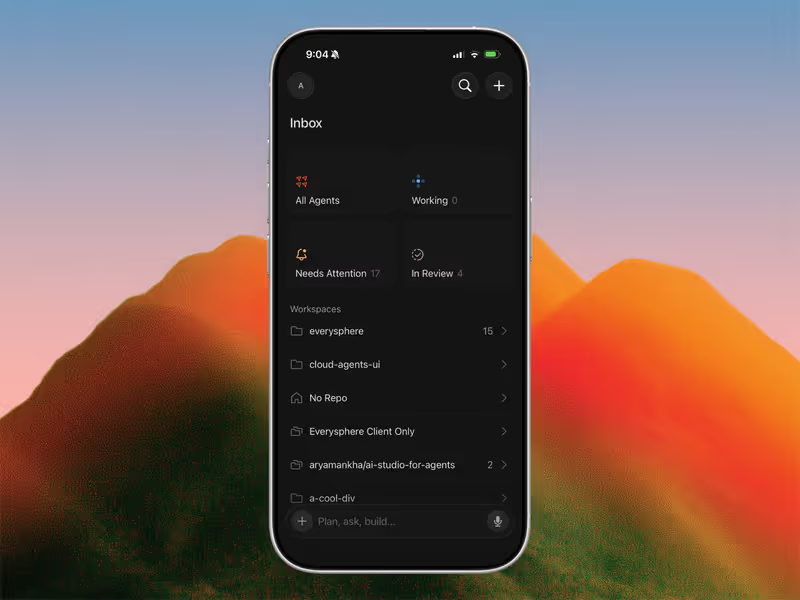
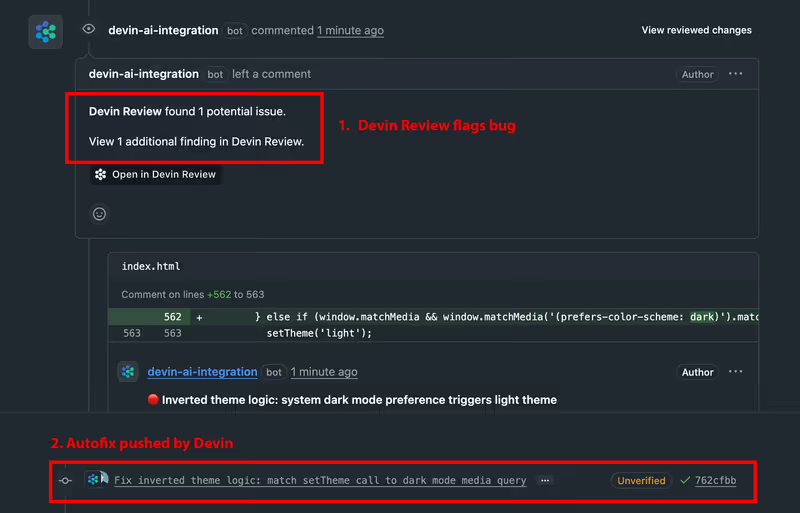
Cursor vs Devin, on screen

cursor.com
Cursor homepage
devin.ai
Devin homepage

The fairest way to compare Cursor and Devin is on a developer's home turf: an existing production codebase with thousands of files, complex dependency graphs, and a history of legacy workarounds. The visible part of both tools is their promise of AI assistance that reads your repo. The actual challenge is how they handle the scale of a production system - whether they can make edits without breaking your build or introducing silent logic bugs in peripheral files.

This job exposes the failure modes that matter to team output: context degradation, runaway AI edits, and loop errors during imports or build steps. When editing an existing codebase, the AI is no longer on a sandbox canvas. It is modifying live structures where index latency, accuracy of codebase search, and edit speed determine whether an agent accelerates your shipping pace or just slows you down with debugging drift.

The audience

Who each one is for

Cursor

  • Professional developers who want an AI-first IDE that integrates into their VS Code setup
  • Teams needing low-latency autocomplete and real-time guidance via codebase-wide indices
  • Engineers who trust their own code review more than autonomous browser runs
  • Corporate developers who must comply with local privacy controls and data training Opt-outs

Devin

  • Autonomous experimenters looking for an agent that works independently in a running container
  • Developers willing to delegate multi-file troubleshooting and wait for sandbox reports
  • Teams requiring a terminal-running agent that edits, tests, and compiles automatically
  • Builders working on small-to-medium repos free of corporate compliance audits

Cursor acts as a high-speed copilot in your hands; Devin operates as a separate agent working off in a sandbox, checking back with a log file.

The scope

What you'd build with it

Cursor

  • Large-scale commercial applications where you must work alongside a legacy codebase
  • SaaS microservices that require deep context across multiple nested dependencies
  • Production systems utilizing complex frameworks where you cannot afford runaways
  • Desktop or system-level builds: what it indexes is entirely local and unrestricted

Devin

  • Independent scripts, helper tools, and automated testing suites built inside a container
  • Isolated feature flags and parallel test fixes where autonomous time-saving is high
  • Web app prototypes where Devin scaffolded the workspace from raw files
  • Complex enterprise architectures: Devin's browser sandbox lacks direct local hardware access

Who owns the context window

Cursor operates directly on your local system by building a secure, semantic index of your entire codebase using symbols, imports, and folder structures. The workspace feels like a native IDE because it is a fork of VS Code; you reference files with simple @ mentions, and Composer applies diffs inline across multiple files in a couple of seconds. Because you are at the steering wheel, you can guide the context window, stopping the model before it eats through its parameters or rewrites a working middleware file.

Devin works through its Cascade agent, which loads your local directory and executes tasks within a virtual environment. Rather than relying solely on your local CPU to index, Devin's agent reads files, executes terminal commands, writes code, and handles package compiling autonomously. However, this autonomy can lead to context-drift when dealing with massive codebases. When stuck, the agent has a known failure mode of repeatedly reading the same files or hallucinating non-existent imports to resolve dependencies, causing Cascade sessions to stall during large file operations.

Strengths

Where each one is strong

Edge: Cursor

Cursor wins handily on raw speed, editing pace, and its familiar VS Code workspace extension support.

Cursor

  • Full-project awareness with rapid search: indexing is highly optimized, allowing near-instant semantic code retrieval across big codebases
  • Smart autocomplete that predicts inline edits and terminal changes with sub-second latency
  • VS Code architecture: complete compatibility with your custom themes, marketplace extensions, and keymaps
  • Cursor Composer: edits across multiple files simultaneously with clear, interactive diff reviews

Devin

  • Autonomous cascade agent: can run commands in its own sandbox environment to test dependencies
  • Low-latency inline completions powered by Codeium's proprietary language model
  • Multi-file edits: modifies parallel files and checks for compilation errors independently
  • Collaborative agent dashboard: lets developers inspect progress and step in with custom prompts

Failure modes

Where each one breaks

Edge: Cursor

Devin's troubleshooting loops and token-guzzling stalls present a higher risk of workflow disruption than Cursor's resource lag.

Cursor

  • CPU resource spikes: indexing massive repositories can freeze the editor or cause system lag on standard laptops
  • Composer loop failures: Agent mode can occasionally break build configurations if dependencies are poorly resolved
  • Slashed limits on Pro tiers: users report slow queries taking 2-3 minutes once fast limits are exhausted
  • Privacy compliance limits: corporate teams still flag codebase scanning logs as high security risk

Devin

  • Cascade agent stalls: Cascade sessions occasionally freeze entirely or loop indefinitely on complex configurations
  • Logic and import hallucinations: Devin occasionally injects non-existent utility imports into working codebases
  • Workspace crashes: some users report occasional IDE connection timeouts and unstable login UI blocks
  • Weak support: troubleshooting documentation for complex setup failures is sparse, and reviews report slow feedback

Iteration cost

The fix loop, priced

Edge: Cursor

Cursor's $20 tier offers more direct editing value before running out of steam.

Cursor

  • Hobby starts at $0 with 50 fast queries; Pro is $20/month with 500 fast queries
  • Pro+ scales to $60/month (1,500 fast queries) for heavy coding demands
  • Once fast queries run out, slow queries can drag out to 2-3 minutes per prompt
  • Cursor provides premium Ultra tiers ($200/month) for enterprise-scale queries

Devin

  • Premium tier is priced at $15/month billed annually or $20/month billed monthly
  • Includes unlimited autocomplete but limits Cascade prompt speeds based on usage
  • Users report performance dropping dramatically when Cascade hits reasoning resource caps
  • Teams and Business tiers are available on custom enterprise quotes

Both tools base their economics on your search and prompt habits, meaning a single dependency loop can burn through your monthly credits. You can inspect this dynamic in the fix loop tax.

Exit paths

The code you end up with

Even

Both tools leave you in a standard local repository with zero code lock-in.

Cursor

  • A standard git directory: Cursor leaves no proprietary framework footprints in your files
  • Diff review setup: you control every line before saving, avoiding stealth commits
  • Git history remains clean if you maintain tidy branch commits yourself
  • All configuration files remain formatted to standard VS Code settings

Devin

  • Clean local codebase outputs that sync directly to your preferred GitHub setup
  • The sandbox edits are delivered as normal file revisions with no custom packages
  • Cascade changes are previewed in standard IDE layouts for manual inspection
  • Easy exit path: close Devin, open the code in any system terminal, and compile

When neither wins

The comfortable truth for developers is that both of these tools are designed for people who write code for a living. If you are a business operator looking to build portals, trackers, or workflow apps or want a system that runs without code maintenance, both of these engines are the wrong path because they require you to manage and host code yourself. If that is your situation, you should look at Softr, where you configure app builders and databases visually rather than managing packages, and there is no codebase to debug because everything runs on pre-built, tested cloud infrastructure.

Verdict

Cursor wins this comparison for the vast majority of day-to-day work in an existing codebase. It keeps the engineer in the control loop, providing context-aware autocomplete, semantic search, and prompt inline edits without forcing you to wait for a separate sandbox test run. For developers who require VS Code extension parity, look no further: Cursor is the clean workflow upgrade, and you will find it compares favorably in matchups like Cursor vs Replit.

Devin remains a strong option only if you seek an autonomous assistant to run scripts and compile and check tests independently in a virtual container. It can solve isolated bugs, but Cascade stalls and token bottlenecks on large projects keep it from competing with Cursor's daily editing speed.

Ultimately, if you are a professional software engineer looking for an AI editor to use inside your production workspace every day, choose Cursor. It is faster, respects your local configuration, and allows you to drive the codebase edit without agent runaways.

Q & A

Frequently Asked Questions

Is Cursor better than Devin for editing an existing repository?

Yes, Cursor is faster and more reliable for existing codebases because it builds an instant local index of your project architecture. Devin acts as an autonomous agent but struggles with latency, indexing bugs, and cascade stalls on heavy repositories.

Can I use my VS Code extensions in Cursor and Devin?

Cursor has native, 100% compatibility with all VS Code themes, marketplace extensions, and custom settings. Devin also supports standard extensions, though some users report occasional glitches during major updates.

Which tool costs more to use daily, Cursor or Devin?

Cursor Pro is $20/month for 500 fast queries, while Devin Premium is $15/month billed annually. Both models can get expensive if billing limits force you onto slow reasoning pipelines during compilation loops.

Do Cursor and Devin have code lock-in?

No, neither tool locks your code. They both operate directly on standard repositories and git histories, meaning you can export your codebase or open it in a different editor at any time.