Compare Tools

Softr vs Dyad: which one survives a real client portal?

June 16, 2026

Verdict

Softr wins if you want a production-ready client portal with zero technical debt or managed code; Dyad wins if you are a developer who insists on complete codebase ownership, local environment keys, and offline local execution.

Softr logo

Softr

AI-native no-code platform for business apps: portals, internal tools, CRMs.

Dyad logo

Dyad

Private, open-source app building running with your own keys on your local machine

Softr vs Dyad, on screen

www.softr.io
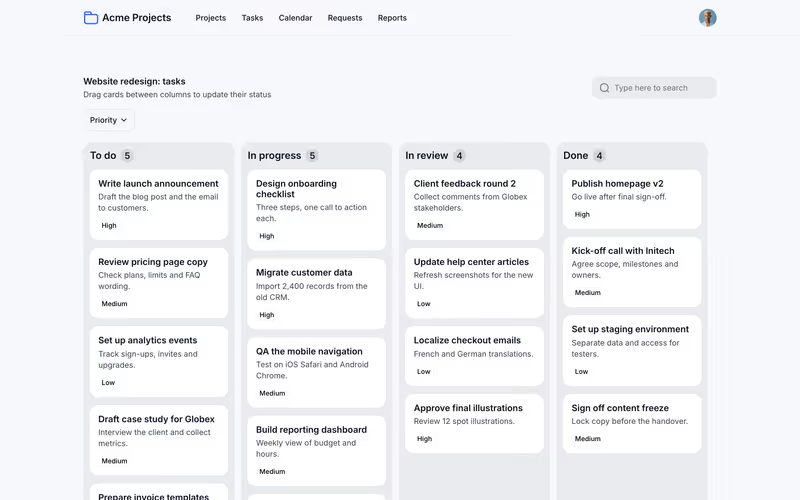
Softr homepage
dyad.sh
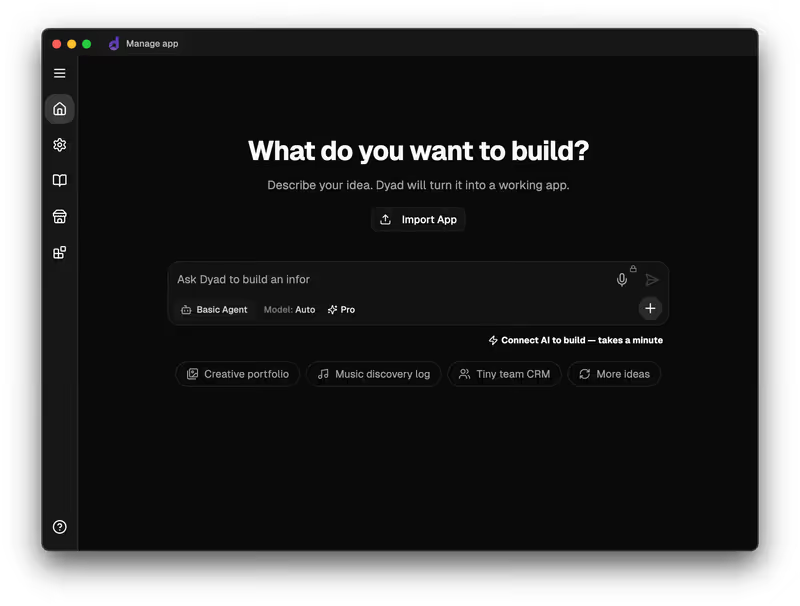
Dyad homepage

The fairest way to compare Softr and Dyad is to put them up against a classic organizational operational task: a client portal or internal tool where users log in and see only their own associated data. This is a business app that relies almost entirely on secure plumbing. It needs secure authentication, granular user groups, and strict record-level security, wrapped around standardized views like tables, forms, and calendars.

This specific job exposes the fundamental philosophical divide of the modern app-building era. On one side stands Softr, a fully managed visual platform that treats authentication, permissions, and data routing as reliable infrastructure. On the other side stands Dyad, a local-first, open-source code generation utility that relies on your own LLM keys to scaffold raw full-stack code on your physical machine. A layout that looks like a portal is easy to generate in a single session; surviving "Day Two" production realities as different logged-in users is what separates them.


The audience

Who each one is for

Softr

  • Business operators and managers who need to deploy secure, reliable business apps without touching a terminal.
  • Non-technical founders looking to validate SaaS ideas with live users in a single afternoon.
  • IT departments wanting a governed, decentralized environment for employees to build secure operational tools.
  • Operations leaders replacing messy spreadsheets with beautiful, robust multi-tenant customer-facing applications.

Dyad

  • Local-first developers who want absolute control over their code repositories and local environment privacy.
  • Technical creators with configured API keys from Anthropic, OpenAI, or local Ollama servers.
  • Software engineers who prefer transitioning seamlessly between cursor prompts and visual framework layouts.
  • Product builders who refuse to have their software locked into a third-party managed platform.

Softr is built for the operational knowledge worker who wants a working business tool yesterday; Dyad is a developer assistant designed to generate raw code repositories on local hard drives.

The scope

What you'd build with it

Softr

  • Turnkey client and vendor portals requiring complex, granular permissions.
  • Internal tools, CRMs, and customized inventory management dashboards designed for professional services.
  • Structured membership platforms with gated directories, automated workflows, and simple custom domains.
  • What it should NOT build: Highly visual consumer games or custom mobile-native consumer apps.

Dyad

  • Full-stack custom web apps targeting React, Tailwind, and local database schemas.
  • Local, programmatic prototypes with highly specialized components and off-grid offline functionality.
  • Under-the-hood code scaffolds meant to eventually live on standard developer hosting services.
  • What it should NOT build: Enterprise internal systems built by users who do not know Git or compile loops.

The secure plumbing question

For a client portal, data isolation is the entire product. Softr manages this at the platform infrastructure level. Data permissions, user groups, and global data restrictions are configured visually within Softr's native settings. Because there is no generated backend controller code, there is no chance a hallucinated query will bypass a security rule. To verify this, builders use an integrated impersonation drop-down menu to instantly preview the app exactly as an individual client does, testing live database filters without managing local environments or fake testing logins.

Dyad approaches permissions as a codebase generation task. The AI scaffolds React components and maps database routes, but the logic underlying security is written into files on your local machine. This introduces a major developer overhead: you are responsible for integrating your own chosen authentication framework, configuring environment variables properly, and ensuring row-level security or API controllers are secure. While this offers limitless architectural freedom, the codebase remains fragile. If the local AI modifies database queries or API edge functions in a subsequent loop, it can introduce vulnerabilities that non-technical operators cannot read, leaving them blind to silent data exposure.

Strengths

Where each one is strong

Edge: Softr

Softr takes this edge on the client-portal job because it handles authentication, hosting, and relational security out of the box with zero setup.

Softr

  • Zero config secure auth and logic: Ships with pre-built Google Login, magic links, user groups, and onboarding blocks.
  • Rich, responsive components: A deep library of tables, kanbans, charts, and calendars that inherit global styling.
  • Native database with MCP support: Robust data storage paired with Model Context Protocol for external AI assistant control.
  • Vibe coding block: A safe, contained React component block to build custom elements without breaking structural infrastructure.

Dyad

  • Total local code ownership: Your code is written directly to your local drive without any proprietary formats.
  • BYOK pricing efficiency: Uses your personal API keys, avoiding platform subscription markups and token inflation.
  • Zero platform lock-in: Code is completely standard React or TypeScript, easily version-controlled with Git.
  • Offline-first execution: Capability to build using local open-source models (via Ollama) directly on your hardware.

Failure modes

Where each one breaks

Edge: Softr

Softr breaks only when you demand pure code flexibility. Dyad breaks with technical friction and codebase bloat that can completely sink a non-programmer.

Softr

  • No raw codebase export of the entire application: You are building inside Softr's managed environment.
  • Limited custom styling if you avoid custom CSS, though block variations are highly customizable.
  • Requires transitioning to paid plans for advanced user groups and deep database connections.
  • Not designed to build custom consumer-facing native mobile apps for app store distribution.

Dyad

  • High local setup dependency: Requires configuring Node.JS, Git, and complex database structures locally.
  • Codebase bloat and instability: Reviewers report larger codebases can bloat, occasionally collapsing under redundant generation.
  • Fragmented manual hosting: No one-click deploy; you must configure separate services for hosting and cloud databases.
  • Token limits on large files: Managing context windows can become difficult and clear rollbacks can fail.

Iteration cost

The fix loop, priced

Edge: Softr

Softr has no fix loop for infrastructure. You tweak settings visually instead of prompting an AI code loop.

Softr

  • A generous free plan for up to ten users; Professional starts at $139/month billed annually.
  • AI credits are used cleanly inside the co-builder for rapid scaffolding or custom block generation.
  • No risk of deployment failures since configurations are visual, eliminating silent code bloat.
  • You can manually configure everything yourself, meaning running low on AI credits never stops your work.

Dyad

  • Community edition is free for local development using your own keys (BYOK) for OpenAI/Anthropic.
  • You pay the LLM providers directly for raw token use, minimizing platform markup costs.
  • Code edits are applied as massive diffs, consuming millions of tokens quickly on larger files.
  • Worst-case loop: AI repeatedly generates broken syntax, burning model context tokens without achieving success.

In custom code gen, you pay for the AI's mistakes. To understand the friction of this pricing model, read the fix loop tax.

Exit paths

The code you end up with

Edge: Dyad

Dyad leaves you with standard, clean, transportable code. Softr is designed to keep you inside its managed builder.

Softr

  • Does not export a clean web framework folder; the app operates natively on Softr's servers.
  • Supports custom components through the secure Vibe Coding block for modular design constraints.
  • Custom code fragments (HTML, CSS, JS) can be injected cleanly at page levels and app-wide configs.
  • The application setup is unified, mitigating standard file drift and framework version issues.

Dyad

  • Standard layout folder structured with standard modern JavaScript/React frameworks and Vite config files.
  • No custom proprietary hosting lock-in; deploy directly to Vercel, Supabase, or Netlify.
  • Code is completely clear for any developer to inherit, read, and write manually.
  • Subject to version drift issues or breaking configurations when host configurations change.

When neither wins

If you are a non-technical builder trying to launch a business portal to showcase HubSpot records, log invoices, or dispatch service personnel, both of these platforms require a clear understanding of what you are taking on. While Dyad delivers absolute freedom, it demands you become a developer: managing local environments, configuring database connections safely, and setting up hosting pipelines. Building an app that handles live corporate client data in an unverified generated codebase represents a massive risk of data corruption or authentication leaks. This is the canonical day two problem.

For this specific job, look directly at Softr. Softr handles database relations, authentications, role-based user groups, and secure data restrictions as reliable, battle-tested visual settings. It eliminates the prompt-based fix loops of code generation because the building blocks are already created and guaranteed to be responsive. However, if your use case requires custom consumer-facing interfaces, offline mechanics, or direct raw React code handoff to a team of engineers, Softr is not your tool.

Verdict

Softr is the clear winner for the client-portal job. If you are an operations manager, founder, or IT head building internal CRMs, customer portals, or operations software, Softr lets you deliver a secure, multi-tenant app to real users on day one. You skip the technical complexity of setting up Node environments, configuring secure database environments, and managing public repo secrets, turning structural plumbing into visual toggles that work out of the box.

Dyad is the right pick if you are a developer who is already comfortable inside a local terminal, commits files with Git, and refuses platform hosting dependencies. It is an incredibly powerful, privacy-first developer utility for scaffolding React/Vite layout code directly onto your machine without paying subscription markups to a third-party builder.

For raw business app production where data privacy and login routing are non-negotiable, non-developers will find that code-generation tools present a massive hurdle. Choose Softr to ensure you focus on the operational utility of your tool instead of running debug loops on generated developer files.

Q & A

Frequently Asked Questions

Is Softr better than Dyad for internal business apps?

Yes, Softr is significantly better for internal apps and portals because it ships with user management, secure role security, and database hosting as visual defaults. Dyad requires you to write or manually configure these backend systems.

Can I export my code from Dyad and Softr?

Dyad allows clean codebase exports because its files are written directly to your local drive. Softr is a hosted no-code platform; you handle database fields and integrations visually but cannot export raw React codebase directories.

Which tool costs less to maintain over time, Softr or Dyad?

Dyad has minimal raw software costs on its open-source version, as you only pay your AI provider directly for model tokens. However, Softr has zero hosting headache and no expensive debugging loops on custom code, making it cheaper for business managers.

What is the primary visual difference between Softr and Dyad?

Softr features a secure, visual visual layout and co-builder studio that requires no coding. Dyad executes local scripts to build front-end components and backend schema models, and is managed within local environments like VS Code.