Compare Tools

Replit vs Dyad: which one survives a real small business app with logins?

June 16, 2026

Verdict

Replit wins if you want a fully hosted collaborative cloud setup; Dyad wins if you demand absolute data privacy and bring your own keys. For a production small business app, non-technical teams should bypass both.

Replit logo

Replit

Cloud IDE with an autonomous agent that builds, tests, and deploys apps.

Dyad logo

Dyad

Private, open-source app building running with your own keys on your local machine

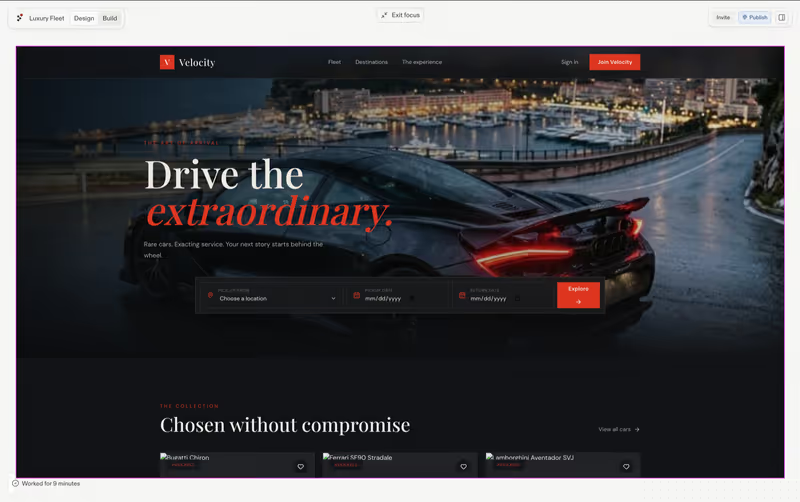
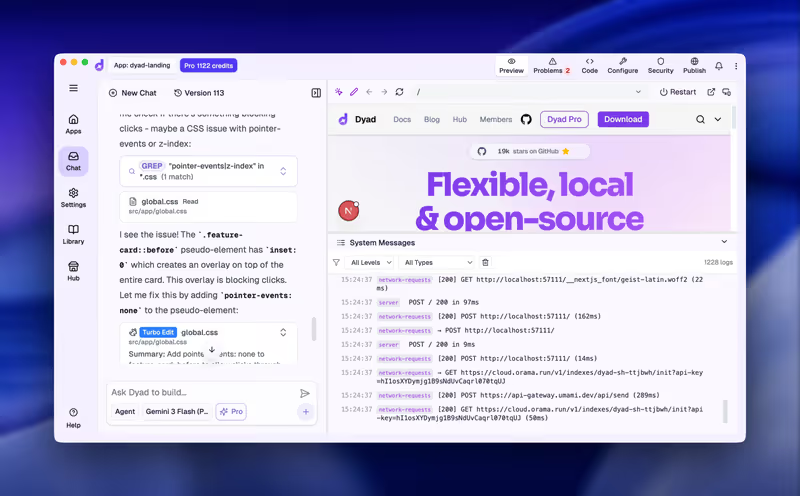
Replit vs Dyad, on screen

replit.com
Replit homepage
dyad.sh
Dyad homepage

The metric that divides Replit and Dyad on a small business web app is where the code executes and who owns the keys. Building a dashboard that lists customers and lets teams edit records requires authentication, a database, and reliable environment setup. Choosing between a cloud-native development environment and a local-first, open-source tool isn't about raw generating speed, it's about whether your business logic belongs on a third-party server or your local hard drive.

This specific job exposes the actual mechanics behind generative AI app development. Beautiful initial mockups are easy to generate, but the real complexity lies in managing database connections, secure login flows, and environment variables. Evaluating these tools on structured relational data and per-user access control exposes the technical debt, hidden configuration costs, and hosting steps that marketing demos consistently omit.


The audience

Who each one is for

Replit

  • Cloud-focused teams who want an instant-on browser workspace and collaborative multiplayer coding features.
  • Makers looking to build, test, and host simple web apps without managing local machine configurations.
  • Non-technical founders using Replit Agent to scaffold web app prototypes entirely via natural language prompts.
  • Teams who need a centralized cloud environment where multiple developers edit code in real time.

Dyad

  • Technical builders who demand complete privacy compliance by keeping code on local physical storage.
  • Developers who prefer using their own API keys to pay directly for model tokens without markups.
  • Solo developers who want to jump seamlessly between AI orchestration and local IDE tools like VS Code.
  • Privacy-conscious operators building apps containing high-security small business records that cannot land in cloud containers.

Replit targets developers and builders who prefer a fully hosted cloud sandbox. Dyad targets those who want a local, self-directed workflow running with their own developer keys.

The scope

What you'd build with it

Replit

  • Interactive SaaS MVPs, public directories, and business chatbots that deploy instantly to a public subdomain.
  • Automated background scripts and internal Slack notifications integrated into a cloud workspace.
  • Shared web projects where teammates require multiplayer cursor control and unified workspace billing.
  • Avoid for high-security applications containing highly sensitive user files that require absolute local execution.

Dyad

  • Full-stack React/Tailwind frontends linked to local SQLite databases for complete development control.
  • Internal workflow templates that developers plan to move directly into corporate version control.
  • Private operational software built with local models like Ollama to protect corporate data from external LLM scraping.
  • Avoid for developers who want a zero-setup deployment that launches a live web link automatically.

The plumbing question

Replit handles the plumbing by deploying your workspace straight into an online container. When Replit Agent builds an app, it provisions a managed PostgreSQL database, handles API keys via its Cloud Secrets panel, and spins up a dedicated virtual machine. The authentication, routing, and database queries are written entirely by the Agent or manually inside Replit's browser-based editor. The hosting lives on a <app>.replit.app subdomain, meaning security configuration, library updates, and server scaling are your responsibility past day one.

Dyad takes the opposite path by keeping everything on your local machine. It scaffolds the codebase (React/Tailwind with a database schema) directly onto your local hard drive, where you run it inside your native Node.js setup. This gives you complete file ownership and Git version control, but it also means there are no automatic hosting environments or managed databases. To make the app live for users, the builder must manually configure Supabase, set up authentication variables, and deploy files to a platform like Vercel.

Strengths

Where each one is strong

Edge: Replit

Replit takes the overall strength edge on small business apps because it provides instant cloud hosting and database provisioning in one browser tab.

Replit

  • Autonomous reflection loops allow Replit Agent to test its own code and resolve installation issues.
  • Turnkey cloud container hosting is included, mapping database schemas and public preview URLs automatically.
  • Multiplayer collaborative capabilities let developers edit code and test live databases synchronously.
  • Built-in environment variable management simplifies wiring third-party customer keys.

Dyad

  • Local file control keeps your private business records entirely off third-party dev platforms.
  • Bring-Your-Own-Key pricing lets you pay raw token rates directly to OpenAI or Anthropic.
  • Robust IDE integration lets you switch between Dyad's visual prompting and your local VS Code terminal.
  • Total portability of code templates with no proprietary platform hosting lock-in of any kind.

Failure modes

Where each one breaks

Even

Both tools present risks: Replit faces spiraling runtime bills, while Dyad requires the user to debug local environment setup errors.

Replit

  • Circular bug loops can occur where the Agent rewrites code repeatedly while trying to fix its own errors.
  • Context constraints on larger apps cause the agent to forget prior structural code and re-introduce bugs.
  • Hidden system costs can accumulate, including database checkpoint backups that consume usage credits quickly.
  • Agent hallucinations sometimes ignore requested technical choices, occasionally forcing PostgreSQL when asked for Firebase.

Dyad

  • Local dependency overheads like Node.js versions and Windows Defender flags can block first-time setup.
  • Codebase bloat is common when using weaker, cheap AI models that output redundant and unstable logic.
  • No automatic cloud deployment means builders must manually configure and manage their own production hosting.
  • Context token constraints on large apps require manual file filtering, presenting complex terminal friction for non-coders.

Iteration cost

The fix loop, priced

Edge: Dyad

Dyad takes the financial edge by letting users utilize their own direct LLM API keys, bypassing platform subscription markups.

Replit

  • Replit Core starts at $20/month billed annually ($25/mo monthly) and includes $25.00 in AI credits.
  • Agent usage is billed on complexity and length of runs, meaning credit balances can drain quickly.
  • Reviewers report burning through daily credits in under ten minutes during complex code refactoring loops.
  • Credit rollover is capped, forcing users to buy higher addon tiers if project sizes grow.

Dyad

  • Dyad Community is free and open-source, supporting unlimited local apps on Ollama and local hardware.
  • BYOK model requires paying OpenAI or Anthropic directly for tokens used during generation loops.
  • Worst-case pricing relies on the complexity of your prompts and files, which can consume API tokens quickly.
  • No proprietary billing markups are applied to developer API developer keys.

AI generation tools always charge you for iteration. On an app with logins, a multi-turn bug-fixing sequence can quickly expand your bill, requiring you to navigate the economics of the fix loop.

Exit paths

The code you end up with

Edge: Dyad

Dyad wins the code-ownership battle by storing structured files directly on your local hard drive, avoiding cloud container dependency.

Replit

  • Standard multi-file codebases are generated, but they are stored initially in Replit's cloud workspace.
  • GitHub integration is fully supported to sync files and keep codebase changes version-controlled.
  • Self-hosting is possible, but resolving deployment configurations outside Replit's containers requires developer skills.
  • Database migrations of complex Postgres schemas can create server scaling steps if you plan to migrate.

Dyad

  • Raw, standard React/Tailwind frontends are created directly on your local storage drive.
  • No proprietary files are used; you can zip the folder and walk away from Dyad instantly.
  • The generated code is ready to open inside local editors like VS Code or Cursor.
  • Deployment configs are highly portable but require setup on platforms like Vercel or Supabase.

When neither wins

Here is the uncomfortable reality of building a small business web app with logins and per-user data: you are constructing a system where security, data isolation, and user authentication are critical. Both Replit and Dyad generate this entire architecture as raw code. If you are not a professional developer, this means you have just inherited the job of auditing and maintaining security-critical code. A simple missing check in an AI-generated endpoint can expose customer records, meaning you must constantly verify that database policies are intact. This is the structural challenge of managing your app's daily operation.

If you are a non-technical builder, a visual platform like Softr handles security, logins, and dynamic database permissions as platform infrastructure. Instead of asking AI to write authentication logic, you configure custom user groups, record restrictions, and workflows visually. Softr connects natively to your data and lets you invite users with zero risk of silent data leaks. It is the wrong choice if you want to export raw code or construct custom consumer-facing codebases, but for business applications, it keeps the dangerous plumbing safe.

Verdict

Replit wins this matchup if you need an instant-on development environment in the cloud and want the AI agent to handle the entire staging, testing, and deployment setup automatically. It is a highly integrated choice for collaborative teams who want to build, edit, and host simple applications without setting up local machine environments. However, builders must budget for rapid AI credit consumption when running complex debugging loops.

Dyad is the better pick for technical builders who prioritize data privacy, require absolute file ownership on local storage, and want to control their spending by bringing their own API keys. It lets you jump seamlessly between visual prompts and your local code editor. The trade-off is hosting: you are entirely responsible for figuring out where and how to deploy your app and manage its production backend.

For a small business app with logins and client data, non-technical operators should bypass both. The risk of having an AI agent write security code is high. Using a visual app-creation platform like Softr lets you configure permissions and user workflows visually, bypassing the code entirely and eliminating the risks of raw vibe coding.

Q & A

Frequently Asked Questions

Is Dyad better than Replit for a small business app?

Dyad is better if you demand local code control, absolute data privacy, and BYOK token pricing. Replit is better if you want a zero-setup cloud container that automates hosting, database provisioning, and user-preview deployment.

Can I export my code from Replit and Dyad?

Yes, both support clean code portability. Dyad generates standard full-stack folders locally on your hard drive, while Replit stores files in its cloud workspace with standard GitHub sync and export features.

Which costs more to run and iterate, Replit or Dyad?

Replit can cost more due to its agent-credit system, where complex bug loops can rapidly deplete subscription credits. Dyad uses personal model keys, allowing you to pay raw token rates with no platform markup.

How do non-developers handle database security on these tools?

They must trust the AI to write secure code or manually configure database rules, which is highly risky. Non-developers should use a platform like Softr, which handles user permissions as pre-built visual settings.
