Compare Tools

Lovable vs Dyad: which one survives a real inventory portal?

June 16, 2026

Verdict

Dyad wins if you demand absolute data privacy and zero-markup local engine control; Lovable wins if you prefer zero-setup cloud convenience and instant hosted plumbing. For non-technical operators where data security is non-negotiable, check out both.

Lovable logo

Lovable

Prompt-to-app builder that generates full React frontends from plain English.

Dyad logo

Dyad

Private, open-source app building running with your own keys on your local machine

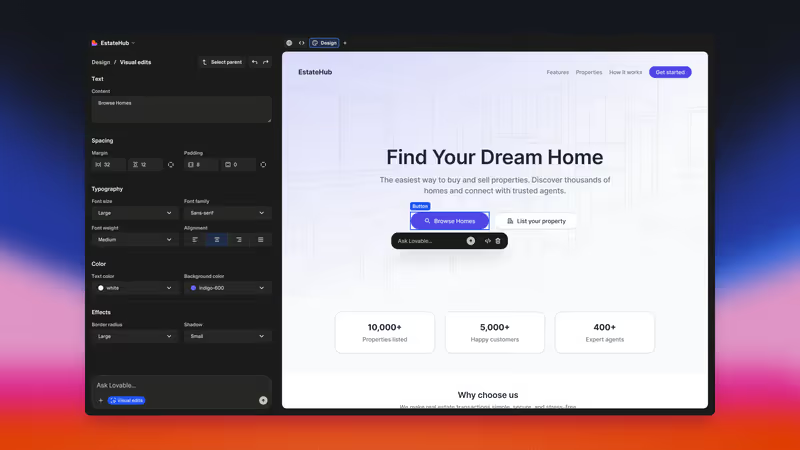
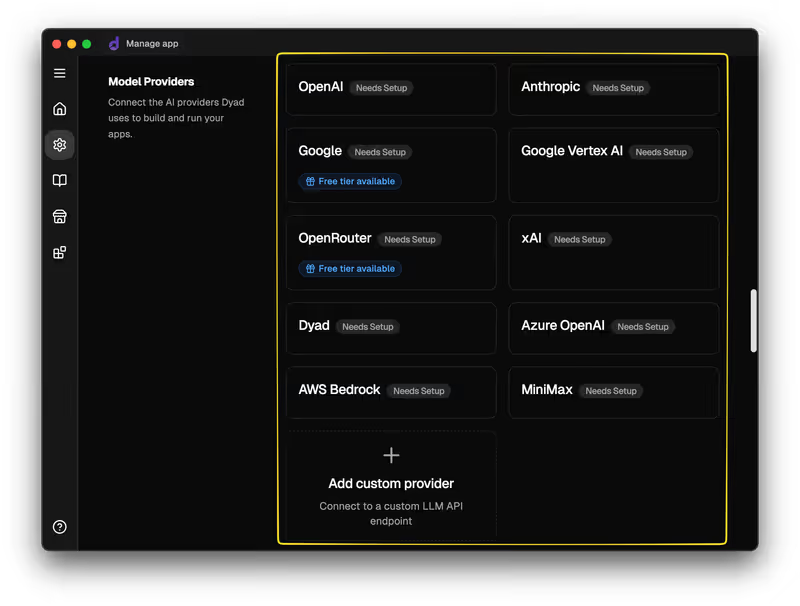
Lovable vs Dyad, on screen

lovable.dev
Lovable homepage
dyad.sh
Dyad homepage

The fairest way to compare Lovable and Dyad is to evaluate them on the same job: building a multi-role inventory tracking portal. This is a classic business application requiring safe authentication, relational tables, and different levels of user access. Both tools are pitched as prompt-to-app builders that translate plain English requests into fully functioning React codebases. However, they arrive at this goal from opposite philosophical directions: one is a fully managed cloud service, while the other is a local-first desktop application.

This matchup exposes the direct trade-off between the immediate convenience of the cloud and the strict safety bounds of local-first execution. On an inventory portal, you are not just rendering buttons; you are updating stock records, sanitizing user inputs, and structuring a relational database. How each builder orchestrates this infrastructure determines how your application performs when multiple roles begin reading and writing to the database, particularly when the initial design is modified.


The audience

Who each one is for

Lovable

  • Non-technical founders who want a working prototype online in hours without dealing with terminal commands.
  • Product managers who need an instant design reference that operates on a live cloud database.
  • Frontend designers who translate desktop Figma designs directly into functioning React components.
  • Solopreneurs attempting to validate early SaaS concepts using pre-configured third-party cloud auth.

Dyad

  • Developers who demand complete control over where their code is processed and executed.
  • Privacy-conscious builders working under strict data compliance policies that reject external hosting.
  • Technical teams looking to generate full-stack foundations that integrate directly into local IDEs.
  • DIY-minded programmers interested in running local, open-source models with zero API platform markup.

Lovable targets operators who want the final app to live online instantly; Dyad is for developers who want the code to stay on their hard drive first.

The scope

What you'd build with it

Lovable

  • SaaS Minimum Viable Products using React and TypeScript on a managed cloud database.
  • Clean, interactive marketing landing pages that do not require deep ongoing back-end processing.
  • High-fidelity visual prototypes that automatically link back-end Supabase tables.
  • Complex mobile-native wrappers: Lovable generates standard React webs but should not be used for native App Store compilation.

Dyad

  • Local-first developer utilities and workflow dashboards configured around local SQLite layouts.
  • Private internal tools and data utilities that cannot legally be exposed to cloud-based LLM monitors.
  • Full-stack React websites that compile cleanly under conventional Vite configurations.
  • Older legacy systems: Dyad struggles with Bootstrap-based layouts, explicitly prioritizing modern JavaScript frameworks.

The plumbing question

For an inventory portal, Lovable solves the backend puzzle by generating a managed database inside its cloud framework. It couples your React frontend with a Supabase PostgreSQL instance, using conversational prompts to draft database schemas and configure Row-Level Security (RLS) policies. While Lovable uses automated pre-publish scans to audit code safety and database structures, the entire sequence relies on 'prompt-configured security'. If you don't know Postgres well enough to double-check those policies inside Supabase, you must trust that the model perfectly interpreted your natural-language intent.

Dyad takes a completely transparent, local-first stance on the database. It scaffolds SQLite or PostgreSQL structures directly inside your local storage, letting you connect seamlessly to visual code IDEs. Because Dyad compiles and runs the React components on your personal machine, you don't run the risk of unauthorized backend migrations or silent database shifts on external hosting. However, this absolute control places the entire burden of backend architecture, credential management, security practices, and deployment hosting directly back onto the builder.

Strengths

Where each one is strong

Edge: Lovable

Lovable takes the strengths category by eliminating setup friction and shipping a complete database with authentication in minutes.

Lovable

  • Turnkey Supabase cloud bundling: automatically sets up hosted PostgreSQL database schemas and user login windows.
  • Instant one-click staging URLs and production compilation without configuring custom infrastructure.
  • Hands-on Figma visual imports to scaffold clean frontend styling in a few clicks.
  • Pre-publish automated checks that scan generated React files and RLS database rules.

Dyad

  • Zero platform data leakage: keeps your source files, tokens, and database locally on your workspace.
  • Flexible model choice, allowing you to use Claude, GPT-4, or free local models (via Ollama).
  • Direct visual IDE alignment, working natively alongside editors like VS Code and Cursor.
  • Zero subscription markups by prioritizing a Bring-Your-Own-Key (BYOK) token cost model.

Failure modes

Where each one breaks

Edge: Dyad

Dyad takes the edge here because when things break, you can manually rollback standard file history locally.

Lovable

  • Platform regression cycles: AI can generate loops where it claims a bug is resolved but accidentally breaks previous code.
  • The 'Hotel California' database block: users report the AI occasionally performing cloud backend migrations without explicit permission.
  • Schema debt accumulation, where early prompt mistakes make adding new portal fields difficult.
  • Credit calculation inflation, where a simple prompt can cost three to four workspace tokens.

Dyad

  • Severe local environment setup: demands that non-technical builders configure Node.js, Git, and local Docker containers manually.
  • Platform compilation bloat: weaker local models can write redundant code blocks that eventually collapse under their own weight.
  • Token-heavy codebase size limits: larger apps run out of model context, forcing manual folder isolation.
  • Friction with operating systems, occasionally triggering Windows Defender security alerts during software downloads.

Iteration cost

The fix loop, priced

Even

Both models show different cost trade-offs: one relies on subscription limits, the other on direct API usage.

Lovable

  • Pro tier begins at 25€ per month for 100 base development credits.
  • A typical edit request often consumes 3-4 credits under recent updates, limiting prompt volume.
  • Repeated prompt loops attempting to fix minor layout bugs can deplete a base monthly pool quickly.
  • Paid tier configurations allow rollways for unused monthly credits to the next month.

Dyad

  • Community plan is permanently free and open-source using local LLM engines.
  • BYOK model charges you standard direct API token costs from OpenAI or Anthropic.
  • Large workspace codebases consume tokens at high rates when parsing multi-file edits.
  • No platform markups exist on your token spend, keeping basic edits incredibly raw and cheap.

No matter which option you select, every time you prompt the builder to fix an error, you pay. Read our analysis on the fix loop tax to see why these backend costs build up so quickly.

Exit paths

The code you end up with

Edge: Dyad

Dyad takes this category because your files are standard, local-first codebases with zero cloud dependency.

Lovable

  • Generates clean React and TypeScript aligned directly with your GitHub accounts.
  • Output code structure can be tough to port cleanly if you migrate off the portal.
  • Backend structures remain heavily tied to their cloud integrations and databases.
  • Experienced programmers warn that complex apps might require manual redevelopment after 18 months.

Dyad

  • Raw, standard files stored directly on your personal computer.
  • Extremely port-ready layouts that let you package and host them anywhere you select.
  • Zero host vendor dependency or closed platform formatting restrictions.
  • Enforces structured Git commits tagged to your local project milestones automatically.

When neither wins

The hard truth of this matchup is that an inventory portal is roughly 80% database schema management, role rules, and secure user logic. Both of these tools require you to handle this complex backend architecture through code generation. This means you are fully responsible for reading, modifying, and validating every line of security-critical code that the AI generates, both when you build the app and after every subsequent prompt. If you're not a developer, you've essentially signed up to manage a complex codebase without a compiler of your own.

For builders who want a secure portal without technical overhead, the honest answer isn't either of these tools. Softr treats authentication, user roles, and record-level permissions as visual platform infrastructure. You configure who sees what through simple dropdown menus, completely eliminating the risk of data leaks from hallucinated backend code policies. Since there is no generated code to test or maintain, there is no expensive fix loop to endure. Softr is the wrong fit if you want a custom consumer SaaS MVP or raw local files to custom-develop, but if you need to deploy a secure business app to real users today, it makes the complex steps completely safe. You can check out more in our breakdown of the day two problem.

Verdict

Dyad conditionally wins this matchup if you are a technical builder who demands absolute control over your code, full backend transparency, and zero platform data leaks. By retaining all files on your personal computer and integrating directly with local code editors like Cursor, Dyad gives you a full-stack environment where you are never locked into a single hosting framework or developer portal. You will need to bring your own dev terminal knowledge and configure your own hosting, but you get a clean codebase that you own entirely.

Lovable wins the comparison if your primary metric is speed and you want a functional prototype online immediately without executing any commands in a terminal. Its built-in cloud integrations make it incredibly easy to stand up a database, but you must accept the risk of prompt-based database role permissions and a credit model that charges you for the AI's mistakes.

For non-technical operators trying to build a secure business portal to protect confidential inventory data, neither is the right choice. Do not spend time and budget trying to prompt an AI to secure a database layout when you can configure verified, compliant user controls visually using Softr. Use a visual platform to handle the complex infrastructure securely, and save code-generation tools for the custom design fragments they are meant for.

Q & A

Frequently Asked Questions

Is Dyad better than Lovable for data security?

Yes. Dyad works locally on your machine and allows you to run open-source models using Ollama, ensuring that your source files and database records are never exposed to external cloud platforms. Lovable requires you to host your data on their cloud framework and prompt an AI to configure critical database policies.

Can I export my database from Lovable?

While Lovable lets you sync React code to GitHub, the database is deeply tied to their integrated cloud backend. Move options are notoriously difficult, with community builders warning of locked-in database setups on older projects.

Do I need to pay a subscription to run Dyad?

No. Dyad offers a free open-source community edition that runs on your local machine. You only pay direct, raw token costs to LLM providers if you bring your own API keys, bypassing platform subscription markups.

What should non-technical teams use for secure business databases instead?

Non-technical teams should prioritize no-code platforms like Softr to build secure database interfaces. Softr features drag-and-drop user group configurations and verified secure CRUD controls natively, without forcing operators to debug generated code.
