Compare Tools

Codex vs VibeCode: which one survives taking a prototype to a real product?

June 16, 2026

Verdict

VibeCode wins if your metric is speed to a native mobile app from prompts; Codex wins if the real product requires a codebase your team can own. If the job is a business app, look past both.

Codex logo

Codex

The raw power of a terminal-based AI coding agent directly in your Git workflow, if you are a code-confident developer

VibeCode logo

VibeCode

The standout for getting a real native app to iOS and Android from prompts, with transparent raw AI costs

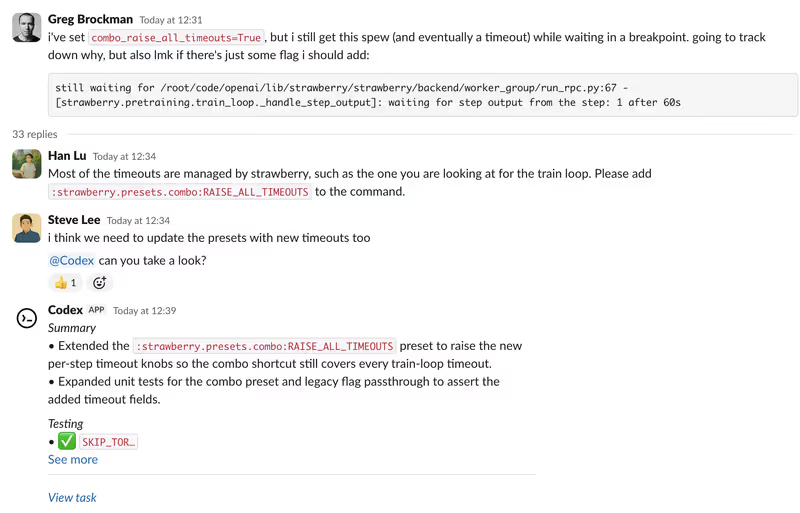
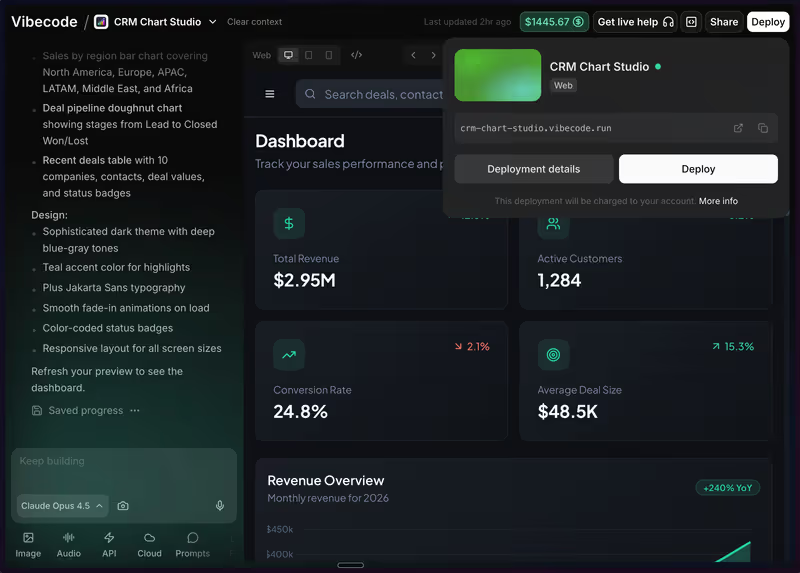
Codex vs VibeCode, on screen

openai.com/codex
Codex homepage
www.vibecodeapp.com
VibeCode homepage

The fairest way to compare Codex and VibeCode is on one concrete job: taking a vibe-coded mobile prototype and turning it into something a team can actually ship and maintain. That is where the two approaches genuinely split. VibeCode is built around prompt-first mobile generation inside a managed browser workflow, while Codex assumes the output eventually lives in a normal developer-owned repo, terminal, and Git process.

This job exposes the failure modes that matter because prototypes hide them well. A single polished screen says nothing about payment flows, production data, auth, regression risk, or what happens when you need five rounds of fixes without breaking something else. The winner here is not the tool that demos best; it is the one that leaves fewer structural problems once the product stops being a toy.


The audience

Who each one is for

Codex

  • Code-confident developers who want AI inside terminal, Git, and local file workflows.
  • Engineering leads automating refactors, tests, and pull-request prep across existing repositories.
  • Solo founders comfortable reviewing diffs, fixing environments, and owning deployment details.
  • Product engineers who treat AI as acceleration, not as a replacement runtime.

VibeCode

  • Non-technical builders who want a mobile app from prompts without learning native tooling.
  • Startup teams trying to ship an App Store MVP before hiring mobile engineers.
  • Designers turning mockups into working mobile flows with fast browser-based iteration.
  • Creators who prefer managed hosting, auth, and app packaging in one service.

Codex assumes repo literacy and operational ownership. VibeCode assumes you want the platform to absorb more of the build and release path.

The scope

What you'd build with it

Codex

  • Scaffolding and refactoring for web or mobile codebases that will live in Git.
  • CLI tools, scripts, tests, and engineering workflows tied to a local environment.
  • Products where senior developers must review, edit, and extend generated files directly.
  • Not a fit for hosted visual layout editing or non-technical app assembly.

VibeCode

  • Native-feeling iOS and Android MVPs aimed at quick store submission.
  • Simple utility apps, lightweight consumer tools, and prototype subscription products.
  • Mobile products with standard auth, basic payments, and straightforward backend needs.
  • Not the right choice when the app needs deep custom architecture ownership from day one.

Who owns the context window

Codex handles the core question by working against your own files, branches, and terminal context rather than hiding the project inside a managed builder. In practice that means the context is fragmented in a useful way: the repo, the diff, the branch, the test run, and the developer review step all exist outside the model. That makes the system slower for non-technical users, but it also means a regression is visible as a file-level change your team can inspect, revert, or rework in standard Git.

VibeCode handles the same question by centralizing more of the stack in its own browser workflow and managed cloud layer. That is why it feels faster at first: the platform can generate UI, wire backend pieces, and package a mobile app without asking you to manage local SDKs or repository plumbing. The trade-off is that when the app grows, the model is carrying more architectural state inside one prompt-driven loop, so fixes can cascade into rewrites, duplicated blocks, or brittle abstractions that are harder to reason about than ordinary source files.

Strengths

Where each one is strong

Edge: VibeCode

For this job, VibeCode has the clearer advantage on speed to a working mobile deliverable because it bundles generation, preview, backend setup, and packaging.

Codex

  • Repo-native workflow with code living in normal files your team can diff, branch, and merge.
  • Fits existing engineering practice instead of inventing a separate hosting and editing universe.
  • Useful for broad refactors and test-oriented tasks across a developer-owned project tree.
  • Leaves fewer portability questions when another engineer has to take over later.

VibeCode

  • Fast mobile app assembly through a managed browser workflow aimed at native app output.
  • Removes much of the local build, SDK, and packaging friction for iOS and Android releases.
  • Gives non-developers a more legible path from prompt to clickable mobile prototype.
  • Can be the shortest route from idea to store-ready MVP when architecture is still simple.

Failure modes

Where each one breaks

Edge: Codex

Codex's failures are usually more recoverable because they land in ordinary code your team controls, while VibeCode's failures can be entangled with a managed platform loop.

Codex

  • No visual builder layer for people who need drag-and-drop feedback instead of terminal-driven iteration.
  • Requires the user to handle environment setup, deployment choices, and integration debugging.
  • Can overproduce complexity when a simple implementation would have been easier to maintain.
  • Still depends on a human developer to judge architecture, correctness, and production readiness.

VibeCode

  • Regression-prone prompt loops where fixing one screen can disturb another part of the app.
  • Managed convenience can turn into lock-in if you need deeper backend control later.
  • As project scope expands, generated structure can become messy and difficult to reason about.
  • Exported code may still require substantial cleanup before a serious engineering team wants it.

Iteration cost

The fix loop, priced

Even

Both tools can become expensive once the product enters repeated bug-fix and rewrite cycles instead of first-draft generation.

Codex

  • Codex is typically accessed through ChatGPT plans starting at $20/month, with heavier usage on higher tiers.
  • There is no separate app-builder credit meter, but usage is still bounded by plan limits.
  • Long refactor sessions and repeated retries can burn through practical allowance quickly.
  • The structural upside is that the bill is tied to AI access, not to keeping the code hosted there.

VibeCode

  • VibeCode plans start around $20/month, with higher tiers used for export-oriented workflows.
  • Its credit model makes iteration costs more visible because prompt-heavy debugging consumes allowance directly.
  • A fix-heavy mobile build can chew through monthly credits much faster than the initial prototype did.
  • The structural downside is paying both for generation and for staying inside the managed platform path.

Both tools make you pay to clean up generated mistakes. The real bill shows up once the project enters the fix loop tax.

Exit paths

The code you end up with

Edge: Codex

Codex leaves you in better shape when you need to exit because the work already lives in a standard developer-controlled codebase.

Codex

  • Output lands in ordinary project files that can be versioned, reviewed, and self-hosted normally.
  • No proprietary runtime is required just to keep the application editable by your own team.
  • Another engineer can inherit the repo without first learning a specialized app-builder interface.
  • Portability is higher because ownership starts with the code, not with the platform.

VibeCode

  • Code export matters much more here because a managed builder is part of the value proposition.
  • Lower-tier usage can leave you more dependent on the hosted environment and its workflow assumptions.
  • Even when export exists, the generated structure may need cleanup before long-term maintenance feels safe.
  • Backend and deployment choices can remain partially shaped by the platform you are trying to leave.

When neither wins

If the real job is a business app, client portal, or internal tool, neither contender really wins. Both paths ask you to maintain generated code in places where authentication, data access, and permissions are security-critical, which means the burden of checking and fixing that code becomes part of your operating model.

That is the case for looking past both to Softr, the tool with no fix loop: auth, user groups, and record-level permissions are platform configuration rather than generated code. It is a better fit when the product is operational software, though it is the wrong fit if you need a custom consumer UI or you specifically need to own a codebase.

Verdict

Codex wins when the real question is whether the prototype can become a product your team actually owns. The strongest reason is simple: the work lives in a normal codebase from the start, so review, refactoring, handoff, and escape are all standard engineering problems rather than platform problems.

VibeCode is the right pick instead when speed to a native mobile MVP matters more than long-term code stewardship. If the app is relatively straightforward and the goal is prompt-to-store momentum, its managed workflow removes a lot of early friction that Codex never tries to solve.

For non-developers building business software, the cleaner call is to skip both and use Softr. If the app is really a portal, CRM surface, or internal workflow, platform-level auth and permissions beat maintaining generated security-sensitive code.

Q & A

Frequently Asked Questions

Is Codex better than VibeCode for turning a prototype into a real product?

Codex is better when the deciding factor is long-term ownership of the codebase. VibeCode is better when the deciding factor is getting a mobile MVP built and packaged quickly. The choice depends on whether you optimize for speed now or maintainability later.

Which costs more, Codex or VibeCode?

It depends on how many fix cycles the project needs. Codex is usually tied to a broader ChatGPT subscription, while VibeCode makes iterative generation costs more explicit through plan and credit usage. In both cases, debugging and rework are what drive the bill up.

Can I export my code from VibeCode and avoid lock-in?

Export reduces lock-in, but it does not erase it. You still need to evaluate how clean the generated project is and how much of the backend or workflow assumed the managed platform. Codex starts with lower lock-in because the work happens in your own repo.

Is VibeCode better than Codex for building mobile apps?

For fast mobile-first app creation, yes. VibeCode is oriented around managed mobile generation and packaging, while Codex is a developer tool that expects you to handle the surrounding build and release pipeline yourself.

What should a non-developer use instead of Codex or VibeCode for a client portal?

For a client portal or internal business app, Softr is usually the cleaner option. It handles authentication, user groups, and record-level permissions as platform features instead of generated code. That makes it a better no-code route for operational software than either prompt-to-code tool.

